





Google’s Gemini app is getting a significant upgrade, introducing a new feature called ‘notebooks’ designed to revolutionize how you organize your AI chats and files. This enhancement brings deeper integration with NotebookLM, Google’s AI-powered research assistant, making complex projects more manageable than ever before.
Bringing Organization to Your Gemini Chats
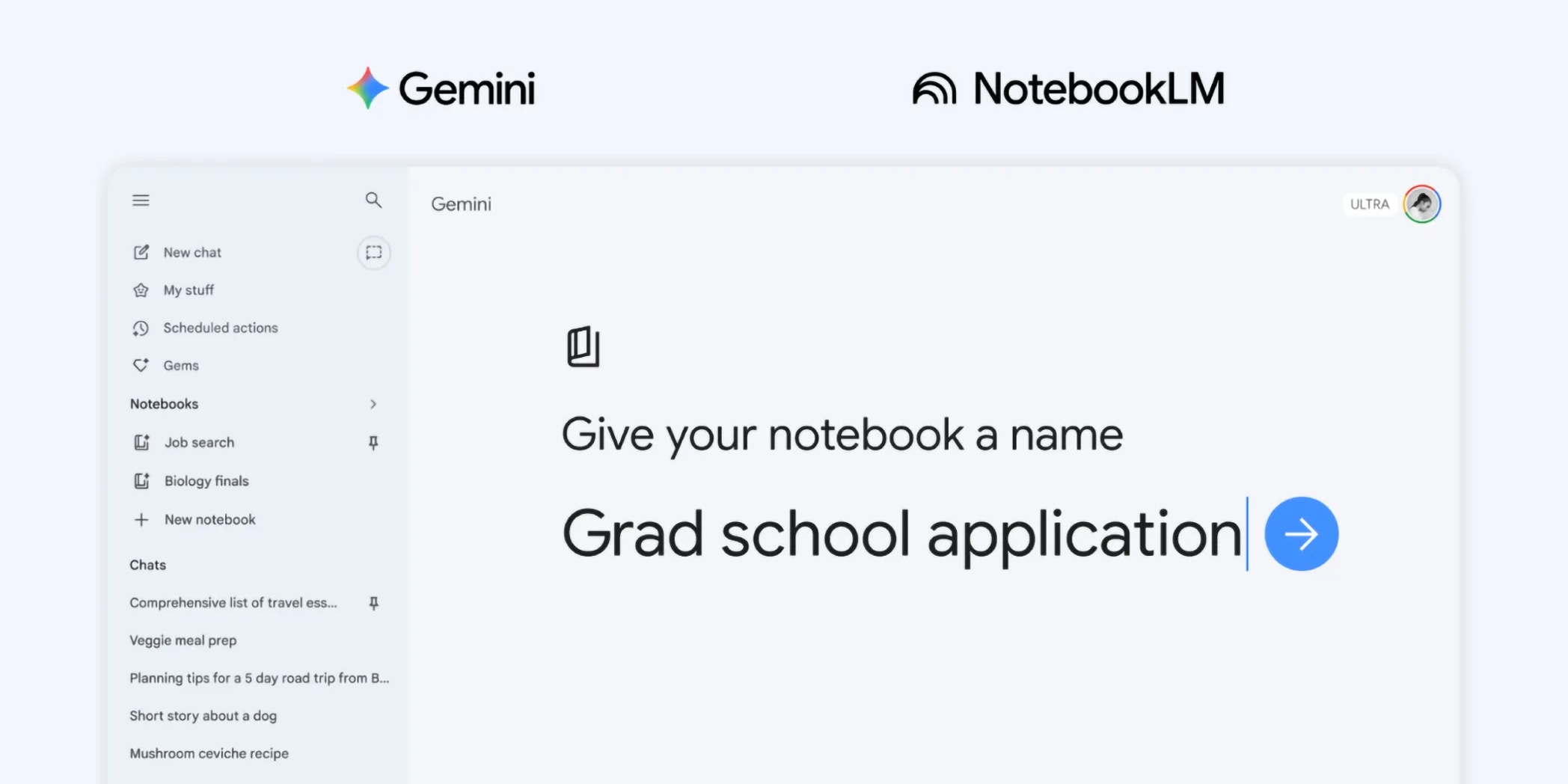
Imagine having a dedicated space within Gemini for each of your projects, hobbies, or research topics. That’s exactly what ‘notebooks’ deliver. These act as personal knowledge bases, allowing you to gather and organize related conversations, documents, and other files in one central location.
You’ll find a new ‘Notebooks’ section conveniently located in the Gemini side panel, alongside ‘My stuff’ and ‘Gems’. Every chat in Gemini now includes an ‘Add to notebook’ option in its overflow menu, making it simple to categorize your discussions.
How Notebooks Streamline Your Workflow
Once you’ve created a notebook, you can add various sources for Gemini to reference. This includes files, content from Google Drive, websites, or even copied text.
Furthermore, you can give Gemini custom instructions for each notebook, guiding its responses and preferred tone. This ensures that Gemini’s output is always tailored to the specific context of your project.
Deeper Integration with NotebookLM
The introduction of notebooks marks a significant step in the integration between the Gemini app and NotebookLM. NotebookLM is Google’s AI-powered research and content organization tool, designed to help users synthesize information from vast document collections.
The beauty of this new system is the seamless synchronization: notebooks you create in the Gemini app will automatically appear in NotebookLM, and vice-versa. This means you can leverage NotebookLM’s unique features, such as creating Video Overviews or Infographics from your sources, even if you started your project within Gemini.
Unlocking Enhanced Capabilities
With this integration, Gemini can utilize the handpicked sources organized in your notebook alongside its powerful tools and web search to provide highly relevant and accurate responses. This grounded approach helps reduce the risk of AI ‘hallucinations’ by ensuring Gemini relies on your trusted information.
The number of notebooks and sources you can add depends on your Google AI subscription plan. For instance, free users can have up to 100 notebooks with up to 50 sources each, while Google AI Ultra subscribers can manage up to 500 notebooks, each with up to 600 sources.
What This Means for You
This new ‘notebooks’ feature in Gemini, with its deep NotebookLM integration, is a game-changer for anyone tackling complex tasks. Students can organize class notes and generate essay outlines, while professionals can manage research for business plans or new projects.
It transforms Gemini into an even more powerful and personalized AI assistant, helping you stay organized and achieve more efficient workflows. This update is rolling out first to Google AI Plus, Pro, and Ultra subscribers on the web. However, Google plans to expand access to mobile devices, more countries across Europe, and free users in the coming weeks.
Conclusion
The introduction of notebooks in the Gemini app marks a significant leap forward in personal AI organization. By offering a dedicated space to manage information and seamlessly integrating with NotebookLM, Google is empowering users to handle intricate projects with unprecedented ease and intelligence. Get ready to experience a more structured and productive AI interaction.
