





Get ready to organize your AI conversations like never before! Google’s powerful Gemini app has just rolled out its highly anticipated Notebooks feature to all free users. This exciting update, which previously launched for Google AI Premium subscribers, brings a significant boost to how you manage and keep track of your interactions with the AI assistant.
What Are Gemini Notebooks?
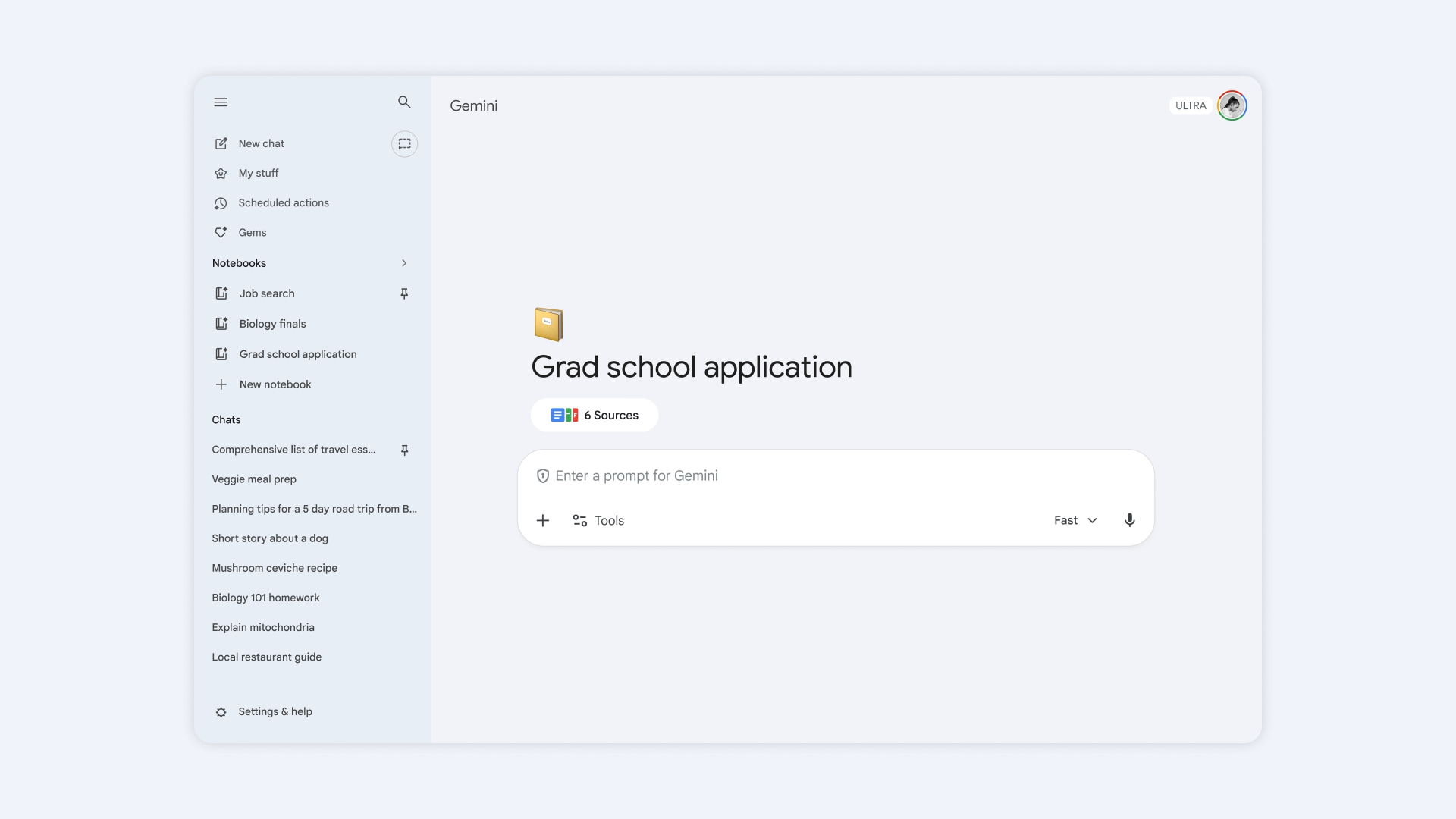
Gemini app notebooks are essentially dedicated workspaces within the Gemini application, designed to help you group related chats and information. Think of them like folders for your AI conversations. Instead of having a long, messy list of unrelated discussions, you can now create separate notebooks for different projects, topics, or ideas.
This feature allows you to maintain persistent context across multiple sessions. For example, if you’re planning a trip, studying for an exam, or brainstorming for a work project, you can keep all relevant Gemini conversations, uploaded files, and context neatly organized in one place.
Beyond Basic Chat: File Uploads and NotebookLM Integration
A major advantage of Gemini notebooks is the ability to upload files directly into your workspace. Gemini can then reference these documents, PDFs, or other source materials across all chats within that specific notebook, providing more accurate and relevant responses.
Furthermore, these notebooks integrate seamlessly with Google’s NotebookLM, an AI-powered research and note-taking tool. This powerful connection means you can start a project in Gemini and then leverage NotebookLM’s advanced features, such as turning your conversations into structured notes or even generating audio overviews and infographics.
From Subscribers to Everyone
The rollout of Gemini notebooks began earlier this month, initially exclusive to Google AI Premium (now known as Google AI Pro) and Ultra subscribers on the web. However, Google has quickly expanded access, making this valuable organizational tool available to all free Gemini app users, including those on mobile devices.
Accessing the feature is straightforward. Users will find a new “Notebooks” tab or a “New notebook” option typically located in the side panel of the Gemini app interface. This makes it easy to create, rename, and switch between your various organized AI discussions.
What This Means for Users
The availability of Gemini notebooks for free users is a significant quality-of-life improvement. It transforms Gemini from a series of disconnected conversations into a more robust and personalized AI workspace. Users can now tackle complex tasks with greater efficiency, ensuring that important context and information are never lost.
This update positions Gemini as an even more competitive AI assistant, offering advanced organizational capabilities that rival features found in other popular AI chatbots. For anyone using Gemini for diverse tasks, from creative writing to detailed research, this change means a more streamlined and productive experience.
Conclusion
Google’s decision to bring Gemini app notebooks to all free users is a welcome move, enhancing the platform’s utility and user experience. By providing a dedicated space to organize AI interactions and integrate with other powerful tools like NotebookLM, Gemini is empowering users to be more efficient and creative in their daily tasks. It’s a clear signal of Google’s commitment to making its AI accessible and helpful for everyone.
Source
