
Close Menu
DroidfeatsDroidfeats

    Subscribe to Updates

    Join our most passionate readers to get instant access to tech tips as they arrive!

    What's Hot

    Pixel Weather Update Adds One-Tap Refresh Button to Widgets

    September 19, 2026
    Vivo X500 Pro Max Specs Leak Ahead of Global Launch

    Vivo X500 Pro Max Specs Leak Ahead of Global Launch

    September 19, 2026
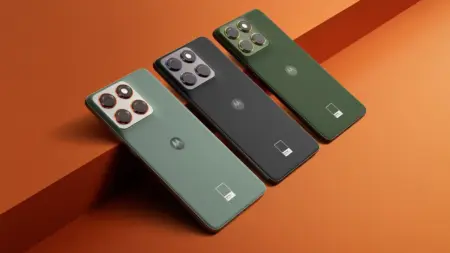
    Motorola Edge 70 Receives Stable Android 17 Update

    Motorola Edge 70 Receives Stable Android 17 Update

    September 18, 2026
    Facebook X (Twitter) Instagram
    • About
    • Privacy Policy
    • DMCA
    • Team
    • Get In Touch
    Facebook X (Twitter) Instagram Pinterest RSS
    DroidfeatsDroidfeats
    • Home
    • News
    • Apps
    • Tips
    • VPN
    • #TheBest
      • Get GCam Ports
      • USB Drivers
      • Get Magisk
      • Get Play Store
      • Get ADB binaries
    • LoL Tier List
    Best Deals
    DroidfeatsDroidfeats
    You are at:Home»News»Pixel Weather Update Adds One-Tap Refresh Button to Widgets
    News

    Pixel Weather Update Adds One-Tap Refresh Button to Widgets

    Saeed Ashif AhmedBy Saeed Ashif AhmedSeptember 19, 2026No Comments3 Mins Read
    Share
    Facebook Twitter LinkedIn Pinterest Reddit Email

    Google is rolling out an update to its standalone Pixel Weather app, adding a dedicated one-tap refresh button to the home screen widget. The new control allows users to force a forecast update without opening the full application.

    Key points

    • Google rolled out Pixel Weather version 1.1.20260716.979549101 with a manual widget refresh button.
    • Tapping the refresh icon on the larger 5×3 widget updates weather data across all active widgets.
    • The smaller 2×2 widget does not feature an independent refresh shortcut.
    • In-app forecast carousels now rely entirely on swipe gestures following the removal of navigation arrows.

    The update, carrying version number 1.1.20260716.979549101, addresses a longstanding limitation where weather cards updated solely on fixed background schedules or via manual pulls inside the app interface.

    Manual Widget Synchronization

    The manual refresh shortcut appears as a circular arrow icon in the top-right corner of the larger 5×3 Weather Forecast widget. Tapping the button immediately pings Google servers for current conditions and updates the on-screen timestamp to reflect the latest fetch time.

    While widget customization has faced scrutiny across modern Android interfaces—such as recent adjustments to home screen layouts on competing flagships—Google kept the functional layout of the card intact. However, the smaller 2×2 Current Weather widget does not include the manual icon. Despite this absence, triggering a refresh on the 5×3 widget automatically synchronizes data across all active weather widgets placed across your launcher panels.

    Streamlined In-App Forecast Navigation

    Beyond widget behavior, the build introduces subtle changes to navigation within the application itself. Google removed the directional left and right arrow buttons previously anchored beside the hourly forecast and the 10-day outlook cards.

    Without those touch targets, users must now rely entirely on horizontal swipe gestures to scroll through upcoming hours and future dates. A report from Jetstream detailed the interface cleanup, which creates a cleaner visual presentation across the main dashboard.

    Availability Across Pixel Devices

    Google originally introduced the standalone Pixel Weather utility alongside the Pixel 9 lineup before expanding compatibility to older hardware, spanning back to the Pixel 6 generation. As the Google Pixel family continues to mature, the software team has steadily refined its weather experience through minor redesigns, including refreshed high-contrast iconography and the rebranding of its automated summary to Weather Brief.

    The version 1.1.20260716.979549101 release began arriving on devices through the Google Play Store on September 17. The update continues to deploy in phased stages across supported hardware.

    Related coverage

    • Samsung Fixes Galaxy Z Fold 8 Home Screen App Icon Bug
    • Google Pixel 11 Series Expected to See Price Hike

    Source

    Originally reported by Android Headlines.

    “Pixel Weather Update Adds a One-Tap Refresh Button to the Home Screen”

    Read the original report ↗
    Android Android Apps Google Google Pixel Pixel Weather
    Add as Preferred on Google Follow on Flipboard
    Share. Facebook Twitter Pinterest LinkedIn Tumblr Email Copy Link
    Previous ArticleVivo X500 Pro Max Specs Leak Ahead of Global Launch
    Saeed Ashif Ahmed
    • Website
    • Facebook
    • X (Twitter)
    • LinkedIn

    Saeed Ashif Ahmed is passionate about emerging technologies and their potential to create a fairer world. A car enthusiast and civil engineer, he loves cricket and cherishes his alma mater, Navodaya Vidyalaya (JNV).

    Related Posts

    Vivo X500 Pro Max Specs Leak Ahead of Global Launch
    News

    Vivo X500 Pro Max Specs Leak Ahead of Global Launch

    September 19, 2026
    Motorola Edge 70 Receives Stable Android 17 Update
    News

    Motorola Edge 70 Receives Stable Android 17 Update

    September 18, 2026
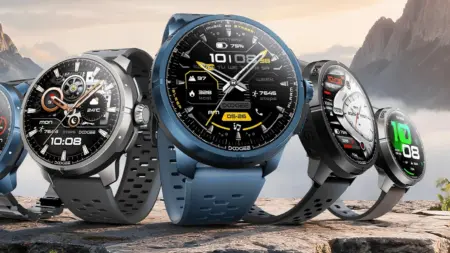
    DOOGEE Unveils Anymoving M1 Pro Smartwatch With Dual-Band GPS
    News

    DOOGEE Unveils Anymoving M1 Pro Smartwatch With Dual-Band GPS

    September 18, 2026
    Add A Comment
    Leave A Reply Cancel Reply

    Top Posts
    MX Player Custom Codec [AC3, DTS, MLP, TrueHD, and more]

    MX Player Custom Codec [AC3, DTS, MLP, TrueHD, and more]

    May 1, 2026223K Views
    Do a Barrel Roll 20 Times on Google & other search games (2026)

    Do a Barrel Roll 20 Times on Google & other search games (2026)

    May 1, 202658,611 Views
    47 best root apps for Android devices in 2025 (NEW LIST – Updated)

    47 best root apps for Android devices in 2025 (NEW LIST – Updated)

    April 16, 202530,544 Views
    Stay In Touch
    • Facebook
    • Twitter
    • Instagram
    • Pinterest
    • Reddit
    • Telegram
    Latest News
    Vivo X500 Pro Max Specs Leak Ahead of Global Launch News

    Vivo X500 Pro Max Specs Leak Ahead of Global Launch

    By Joyce de CastroSeptember 19, 2026
    Motorola Edge 70 Receives Stable Android 17 Update News

    Motorola Edge 70 Receives Stable Android 17 Update

    By Saeed Ashif AhmedSeptember 18, 2026
    DOOGEE Unveils Anymoving M1 Pro Smartwatch With Dual-Band GPS News

    DOOGEE Unveils Anymoving M1 Pro Smartwatch With Dual-Band GPS

    By Debapriya BhattaSeptember 18, 2026

    Subscribe to Updates

    Join our most passionate readers to get instant access to tech tips as they arrive!

    Most Popular
    MX Player Custom Codec [AC3, DTS, MLP, TrueHD, and more]

    MX Player Custom Codec [AC3, DTS, MLP, TrueHD, and more]

    May 1, 2026223K Views
    Do a Barrel Roll 20 Times on Google & other search games (2026)

    Do a Barrel Roll 20 Times on Google & other search games (2026)

    May 1, 202658,611 Views
    47 best root apps for Android devices in 2025 (NEW LIST – Updated)

    47 best root apps for Android devices in 2025 (NEW LIST – Updated)

    April 16, 202530,544 Views
    Our Picks

    Pixel Weather Update Adds One-Tap Refresh Button to Widgets

    September 19, 2026
    Vivo X500 Pro Max Specs Leak Ahead of Global Launch

    Vivo X500 Pro Max Specs Leak Ahead of Global Launch

    September 19, 2026
    Motorola Edge 70 Receives Stable Android 17 Update

    Motorola Edge 70 Receives Stable Android 17 Update

    September 18, 2026

    Subscribe to Updates

    Join our most passionate readers to get instant access to tech tips as they arrive!

    Facebook X (Twitter) Instagram Pinterest
    • About Us
    • Privacy Policy
    • Terms
    • Jobs
    • Contact
    © 2026 Droidfeats. All rights reserved.

    Type above and press Enter to search. Press Esc to cancel.

    Ad Blocker Enabled!
    Ad Blocker Enabled!
    Our website is made possible by displaying online advertisements to our visitors. Please support us by disabling your Ad Blocker.