
Close Menu
DroidfeatsDroidfeats

    Subscribe to Updates

    Join our most passionate readers to get instant access to tech tips as they arrive!

    What's Hot
    What to Check When a Card Game Feels Different on Android

    What to Check When a Card Game Feels Different on Android

    September 16, 2026
    Anker Launches 10-in-1 Smart Display USB-C Hub for 0

    Anker Launches 10-in-1 Smart Display USB-C Hub for $100

    September 16, 2026
    Samsung Fixes Galaxy Z Fold 8 Home Screen App Icon Bug

    Samsung Fixes Galaxy Z Fold 8 Home Screen App Icon Bug

    September 16, 2026
    Facebook X (Twitter) Instagram
    • About
    • Privacy Policy
    • DMCA
    • Team
    • Get In Touch
    Facebook X (Twitter) Instagram Pinterest RSS
    DroidfeatsDroidfeats
    • Home
    • News
    • Apps
    • Tips
    • VPN
    • #TheBest
      • Get GCam Ports
      • USB Drivers
      • Get Magisk
      • Get Play Store
      • Get ADB binaries
    • LoL Tier List
    Best Deals
    DroidfeatsDroidfeats
    You are at:Home»Tips»What to Check When a Card Game Feels Different on Android
    Tips

    What to Check When a Card Game Feels Different on Android

    Saeed Ashif AhmedBy Saeed Ashif AhmedSeptember 16, 2026No Comments5 Mins Read
    Share
    Facebook Twitter LinkedIn Pinterest Reddit Email

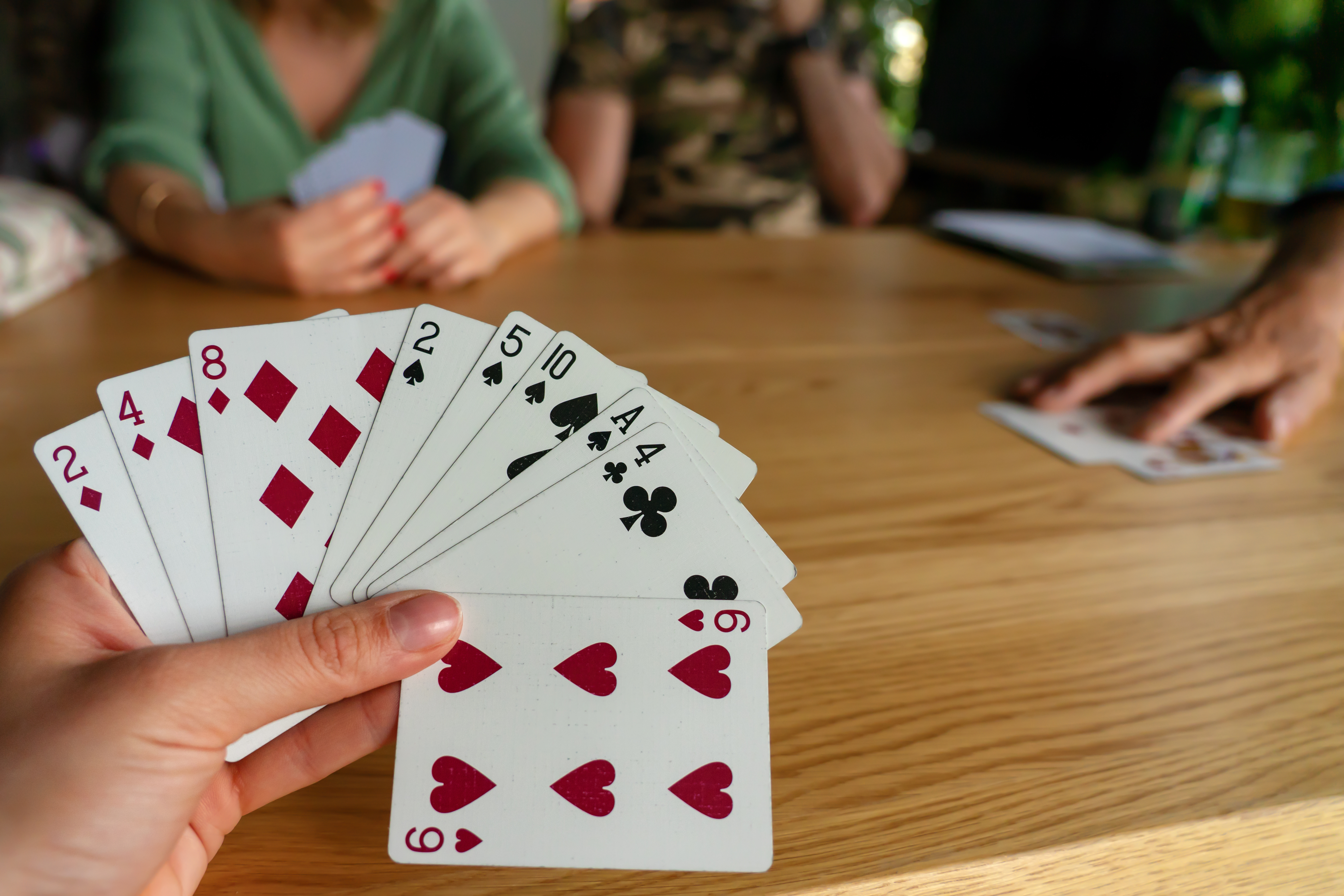
    The same card game can feel quick on one Android phone and awkward on another. The rules have not changed, but the way the game fits the screen, reacts to touch and behaves inside the browser can change the experience. Before assuming that the game itself is broken, it helps to separate a rules problem from a device or browser problem.

    A browser game such as online solitaire makes this easy to test because it runs from a web page. You can compare the same game on another browser or device without first moving saved files or installing a second app. A short, repeatable checklist usually reveals whether the problem comes from the layout, the controls or the connection.
    What to Check When a Card Game Feels Different on Android

    Start with the screen, not the cards

    On a small display, a card can be fully visible but still have a touch area that feels too narrow. This matters most when several cards overlap in a column. A tap intended for the top card may land on the card below it, while a drag can end before the card reaches its target.

    Rotate the phone once and compare portrait and landscape mode. Landscape gives the columns more horizontal room, while portrait can make the full board easier to see without scrolling. Neither orientation is universally better. The useful test is whether you can select the intended card consistently.

    Browser zoom can also change the layout. If the page looks unusually large or small, return the zoom level to its default setting before judging the controls. Android accessibility settings for display size and text size may affect how browser elements fit around the game, even when the cards themselves use a fixed design.

    Work out whether the move is legal

    A card that refuses to move is not always evidence of a touch problem. In Klondike solitaire, tableau cards normally descend in alternating colours. A red seven can be placed on a black eight, but not on another red card or on a seven. Empty tableau spaces are usually reserved for kings or sequences led by a king.

    The foundation follows a different order. Each suit builds upward from ace to king. When a player switches between the tableau and foundation quickly, it is easy to apply the right idea in the wrong area.

    Try one obvious move and observe the result. If that move works but a second one does not, check the rule before repeating the gesture. If no cards respond at all, the issue is more likely to involve the page or browser.

    Compare tapping and dragging

    Many card interfaces support more than one way to move a card. A tap or double tap may send a clear card to a foundation, while dragging gives more control over tableau moves. If a drag feels unreliable, test a tap on an unambiguous card. If taps work and drags do not, the page is receiving input but the gesture may be too short or ending outside the target.

    Avoid starting the drag on the exposed edge of the wrong card. Begin near the centre of the visible part of the card and release near the centre of the destination. This is a small change, but it reduces ambiguity on narrow screens.

    Screen protectors, moisture and a case that overlaps the display can also affect touches near the edge. Open another page with buttons in the same area of the screen. If those controls also miss taps, the problem is broader than the card game.

    Remove browser variables one at a time

    Reload the page first. If the problem remains, open the site in a private tab or a different browser. This comparison can reveal whether cached page data or an extension is involved. A private tab is a test environment, so do not assume it will retain the same local history or preferences as the ordinary tab.

    Next, close unnecessary tabs and apps. Android manages memory automatically, but a browser with many active pages may still need to reload content. Also check whether battery saver or data saver is changing network behaviour. A game that has already loaded may continue to respond locally, while a page refresh or another part of the site waits for the connection.

    Change only one setting before each test. If you rotate the screen, clear site data and switch browsers at the same time, you will not know which step mattered.

    Test the full session, not only the opening move

    A useful final test lasts several minutes. Deal a game, move a sequence, use the stock and return to the tableau. Watch for delayed touches, unexpected page scrolling or a layout that shifts after the browser controls disappear.

    If the issue can be repeated, record the phone model, Android version, browser name, screen orientation and the exact action that caused it. “Dragging the red seven in landscape scrolls the page” is much more useful than “the game does not work.” It gives a developer or support team a clear place to begin.

    The goal of this checklist is not to make every phone feel identical. It is to identify the layer where the experience changes. Once the screen, rule and browser are tested separately, an Android card-game problem becomes much easier to describe and solve.

    Add as Preferred on Google Follow on Flipboard
    Share. Facebook Twitter Pinterest LinkedIn Tumblr Email Copy Link
    Previous ArticleAnker Launches 10-in-1 Smart Display USB-C Hub for $100
    Saeed Ashif Ahmed
    • Website
    • Facebook
    • X (Twitter)
    • LinkedIn

    Saeed Ashif Ahmed is passionate about emerging technologies and their potential to create a fairer world. A car enthusiast and civil engineer, he loves cricket and cherishes his alma mater, Navodaya Vidyalaya (JNV).

    Related Posts

    Understanding Mobile Game Payments Beyond the App Store
    News

    Understanding Mobile Game Payments Beyond the App Store

    September 16, 2026
    OpenAutoLink: Wireless Android Auto for GM EVs Without Extra Hardware
    Tools

    OpenAutoLink: Wireless Android Auto for GM EVs Without Extra Hardware

    September 13, 2026
    Neeraj Chopra: Indian Athletics and the Rise of a Sports Star
    Articles

    Neeraj Chopra: Indian Athletics and the Rise of a Sports Star

    September 10, 2026
    Add A Comment
    Leave A Reply Cancel Reply

    Top Posts
    MX Player Custom Codec [AC3, DTS, MLP, TrueHD, and more]

    MX Player Custom Codec [AC3, DTS, MLP, TrueHD, and more]

    May 1, 2026222K Views
    Do a Barrel Roll 20 Times on Google & other search games (2026)

    Do a Barrel Roll 20 Times on Google & other search games (2026)

    May 1, 202658,609 Views
    47 best root apps for Android devices in 2025 (NEW LIST – Updated)

    47 best root apps for Android devices in 2025 (NEW LIST – Updated)

    April 16, 202530,531 Views
    Stay In Touch
    • Facebook
    • Twitter
    • Instagram
    • Pinterest
    • Reddit
    • Telegram
    Latest News
    Anker Launches 10-in-1 Smart Display USB-C Hub for 0 News

    Anker Launches 10-in-1 Smart Display USB-C Hub for $100

    By Saeed Ashif AhmedSeptember 16, 2026
    Samsung Fixes Galaxy Z Fold 8 Home Screen App Icon Bug News

    Samsung Fixes Galaxy Z Fold 8 Home Screen App Icon Bug

    By Ananya MukherjeeSeptember 16, 2026
    India Investigates Apple Over iOS 18 Hardware Damage Claims News

    India Investigates Apple Over iOS 18 Hardware Damage Claims

    By Saeed Ashif AhmedSeptember 16, 2026

    Subscribe to Updates

    Join our most passionate readers to get instant access to tech tips as they arrive!

    Most Popular
    MX Player Custom Codec [AC3, DTS, MLP, TrueHD, and more]

    MX Player Custom Codec [AC3, DTS, MLP, TrueHD, and more]

    May 1, 2026222K Views
    Do a Barrel Roll 20 Times on Google & other search games (2026)

    Do a Barrel Roll 20 Times on Google & other search games (2026)

    May 1, 202658,609 Views
    47 best root apps for Android devices in 2025 (NEW LIST – Updated)

    47 best root apps for Android devices in 2025 (NEW LIST – Updated)

    April 16, 202530,531 Views
    Our Picks
    Anker Launches 10-in-1 Smart Display USB-C Hub for 0

    Anker Launches 10-in-1 Smart Display USB-C Hub for $100

    September 16, 2026
    Samsung Fixes Galaxy Z Fold 8 Home Screen App Icon Bug

    Samsung Fixes Galaxy Z Fold 8 Home Screen App Icon Bug

    September 16, 2026
    India Investigates Apple Over iOS 18 Hardware Damage Claims

    India Investigates Apple Over iOS 18 Hardware Damage Claims

    September 16, 2026

    Subscribe to Updates

    Join our most passionate readers to get instant access to tech tips as they arrive!

    Facebook X (Twitter) Instagram Pinterest
    • About Us
    • Privacy Policy
    • Terms
    • Jobs
    • Contact
    © 2026 Droidfeats. All rights reserved.

    Type above and press Enter to search. Press Esc to cancel.

    Ad Blocker Enabled!
    Ad Blocker Enabled!
    Our website is made possible by displaying online advertisements to our visitors. Please support us by disabling your Ad Blocker.