

Close Menu
DroidfeatsDroidfeats

    Subscribe to Updates

    Join our most passionate readers to get instant access to tech tips as they arrive!

    What's Hot
    Google Photos Gains Video Playback Speed Controls on Android

    Google Photos Gains Video Playback Speed Controls on Android

    April 7, 2026
    Google Photos Gets AI Enhance Button & Video Speed Controls

    Google Photos Gets AI Enhance Button & Video Speed Controls

    April 7, 2026
    Samsung’s Galaxy S27 Pro: A New S Pen-Less Flagship Emerges

    Samsung’s Galaxy S27 Pro: A New S Pen-Less Flagship Emerges

    April 7, 2026
    Facebook X (Twitter) Instagram
    • About
    • Privacy Policy
    • DMCA
    • Team
    • Get In Touch
    Facebook X (Twitter) Instagram Pinterest RSS
    DroidfeatsDroidfeats
    • Home
    • News
    • Apps
    • Tips
    • VPN
    • #TheBest
      • Get GCam Ports
      • USB Drivers
      • Get Magisk
      • Get Play Store
      • Get ADB binaries
    • Commands
    Best Deals
    DroidfeatsDroidfeats
    News

    Google Photos Gains Video Playback Speed Controls on Android

    Saeed Ashif AhmedBy Saeed Ashif AhmedApril 7, 2026No Comments3 Mins Read
    Share
    Facebook Twitter LinkedIn Pinterest Reddit Email

    Good news for Android users! Google Photos is rolling out a highly anticipated feature that allows you to adjust the playback speed of your videos. This update, announced by Google as a top community request, brings much-needed flexibility to how you view your cherished video memories within the app.
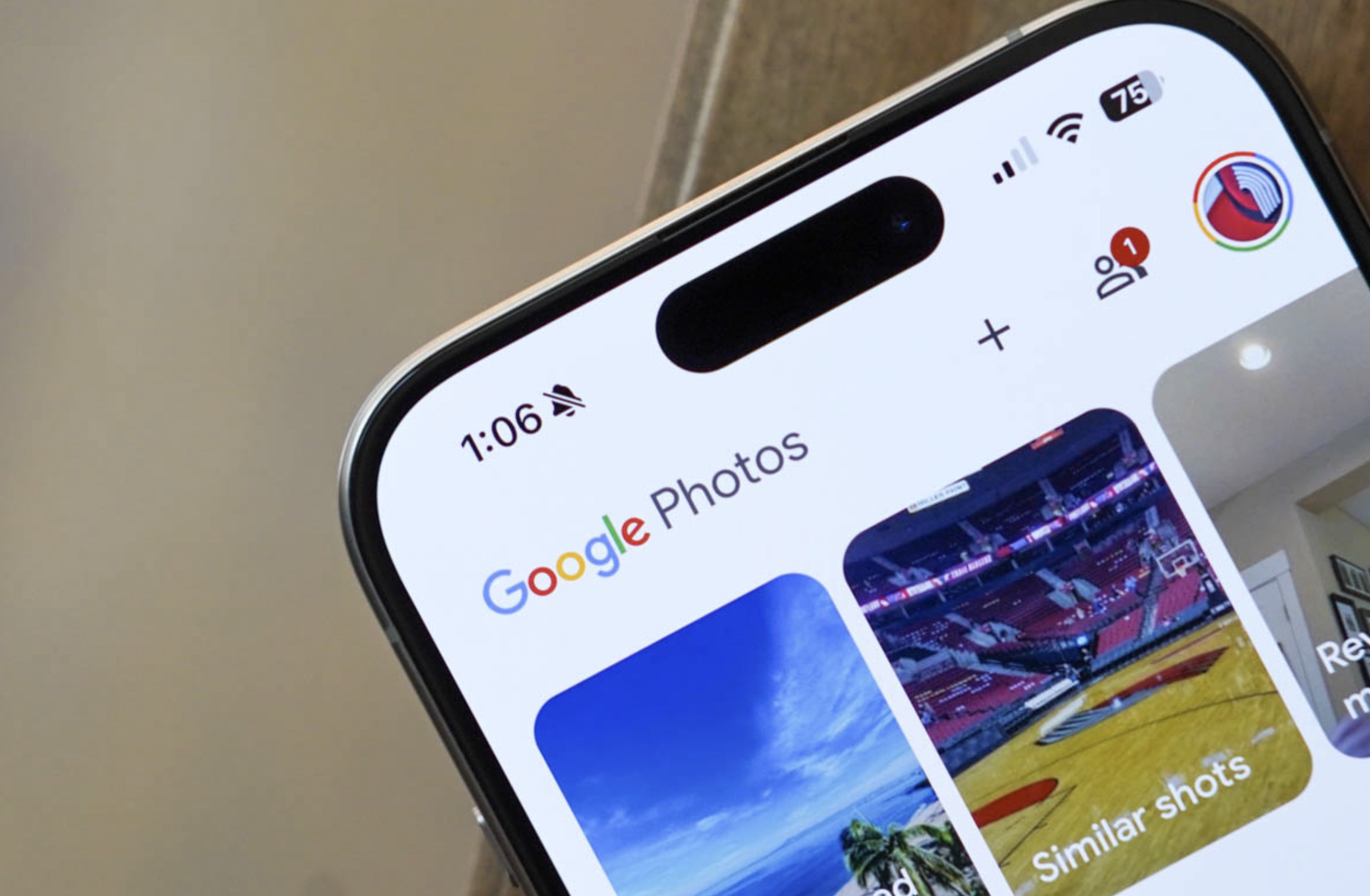
    | Image credit: Droid Life

    How to Adjust Video Speed in Google Photos

    Changing the video playback speed in Google Photos is straightforward and intuitive. You no longer need to rely on external video editors or other apps to speed up or slow down your clips. This new functionality is built right into the app, making it incredibly convenient for everyday use.

    To access this feature, simply follow these steps:

    • Open the Google Photos app on your Android device.
    • Tap on any video you wish to watch.
    • While the video is playing, tap the three-dot menu icon, usually located in the top right corner of the screen.
    • From the options that appear, select “Playback speed.”
    • You will then see a list of speed options, including 0.5x, 0.75x, Normal (1x), 1.25x, 1.5x, and 2x. Choose your desired speed.

    The video will immediately begin playing at your selected speed, offering a seamless viewing experience.

    Why This Feature Matters

    The introduction of video playback speed controls is a significant enhancement for Google Photos users. It addresses a long-standing request from the community, demonstrating Google’s commitment to improving its popular photo and video management service.

    Furthermore, this feature provides greater control over your video content. Whether you want to quickly skim through a long family video, analyze a specific moment in slow motion, or simply watch a funny clip at a faster pace, these playback options make it possible. It transforms Google Photos into an even more versatile tool for managing and enjoying your digital memories.

    Enhancing Your Google Photos Experience

    This update aligns with Google Photos’ ongoing evolution, continuously adding features that make it a comprehensive solution for storing, organizing, and interacting with your media. From its powerful AI-driven search capabilities to its robust editing tools, Google Photos aims to be the ultimate home for all your photos and videos.

    By integrating video speed adjustments, the app now offers a more complete media viewing experience, similar to what users might expect from dedicated video players. This makes revisiting and sharing your favorite moments even more dynamic and personalized. Google Photos continues to refine its offerings based on user feedback, ensuring it remains a leading choice for Android users worldwide.

    Conclusion

    The new video playback speed feature in Google Photos for Android is a welcome addition that enhances user control and convenience. It’s rolling out now, so be sure to update your app to take advantage of this highly requested functionality. Enjoy a more tailored viewing experience for all your videos!

    Source

    • Droid Life
    Android App Update Google Photos Tech News video playback
    Follow on Google News Follow on Facebook
    Share. Facebook Twitter Pinterest LinkedIn Tumblr Email
    Previous ArticleGoogle Photos Gets AI Enhance Button & Video Speed Controls
    Saeed Ashif Ahmed
    • Website
    • Facebook
    • X (Twitter)
    • LinkedIn

    Saeed Ashif Ahmed is passionate about emerging technologies and their potential to create a fairer world. A car enthusiast and civil engineer, he loves cricket and cherishes his alma mater, Navodaya Vidyalaya (JNV).

    Related Posts

    Google Photos Gets AI Enhance Button & Video Speed Controls
    News

    Google Photos Gets AI Enhance Button & Video Speed Controls

    April 7, 2026
    Samsung’s Galaxy S27 Pro: A New S Pen-Less Flagship Emerges
    News

    Samsung’s Galaxy S27 Pro: A New S Pen-Less Flagship Emerges

    April 7, 2026
    Google Play Store Boosts App Discovery with Review Search, Drops Device Filter
    News

    Google Play Store Boosts App Discovery with Review Search, Drops Device Filter

    April 7, 2026
    Add A Comment
    Leave A Reply Cancel Reply

    Top Posts
    MX Player Custom Codec [AC3, DTS, MLP, TrueHD, and more]

    MX Player Custom Codec [AC3, DTS, MLP, TrueHD, and more]

    January 4, 2025182K
    Do a Barrel Roll 20 Times on Google & other search games (2025)

    Do a Barrel Roll 20 Times on Google & other search games (2025)

    April 12, 202558,492
    47 best root apps for Android devices in 2025 (NEW LIST – Updated)

    47 best root apps for Android devices in 2025 (NEW LIST – Updated)

    April 16, 202529,708
    Stay In Touch
    • Facebook
    • Twitter
    • Instagram
    • Pinterest
    • Reddit
    • Telegram
    Latest Reviews
    Your dream Tablet just got cheaper: Galaxy Tab S9 Ultra sale
    9.5
    Deals

    Your dream Tablet just got cheaper: Galaxy Tab S9 Ultra sale

    Leisangthem RajshreeMarch 3, 2024
    Tixee Review – Honest opinion from a trader [Updated] Tips

    Tixee Review – Honest opinion from a trader [Updated]

    Saeed Ashif AhmedNovember 3, 2022

    Subscribe to Updates

    Join our most passionate readers to get instant access to tech tips as they arrive!

    Most Popular
    MX Player Custom Codec [AC3, DTS, MLP, TrueHD, and more]

    MX Player Custom Codec [AC3, DTS, MLP, TrueHD, and more]

    January 4, 2025182K
    Do a Barrel Roll 20 Times on Google & other search games (2025)

    Do a Barrel Roll 20 Times on Google & other search games (2025)

    April 12, 202558,492
    47 best root apps for Android devices in 2025 (NEW LIST – Updated)

    47 best root apps for Android devices in 2025 (NEW LIST – Updated)

    April 16, 202529,708
    Our Picks
    Google Photos Gains Video Playback Speed Controls on Android

    Google Photos Gains Video Playback Speed Controls on Android

    April 7, 2026
    Google Photos Gets AI Enhance Button & Video Speed Controls

    Google Photos Gets AI Enhance Button & Video Speed Controls

    April 7, 2026
    Samsung’s Galaxy S27 Pro: A New S Pen-Less Flagship Emerges

    Samsung’s Galaxy S27 Pro: A New S Pen-Less Flagship Emerges

    April 7, 2026

    Subscribe to Updates

    Join our most passionate readers to get instant access to tech tips as they arrive!

    Facebook X (Twitter) Instagram Pinterest
    • About Us
    • Privacy Policy
    • Terms
    • Jobs
    • Contact
    © 2026 Droidfeats. All rights reserved.

    Type above and press Enter to search. Press Esc to cancel.

    Ad Blocker Enabled!
    Ad Blocker Enabled!
    Our website is made possible by displaying online advertisements to our visitors. Please support us by disabling your Ad Blocker.