




Google is rolling out a significant update to its Gemini Live experience on Android, moving away from the previously full-screen interface. This exciting Gemini Live redesign aims to make interacting with the AI assistant more seamless and less intrusive, especially when you’re multitasking on your device.
Instead of taking over your entire screen, Gemini Live is transitioning to a floating overlay. This change is currently being tested with users on the Google app beta channel, signaling a more integrated approach to AI on Android devices.
What’s New with Gemini Live’s Interface?
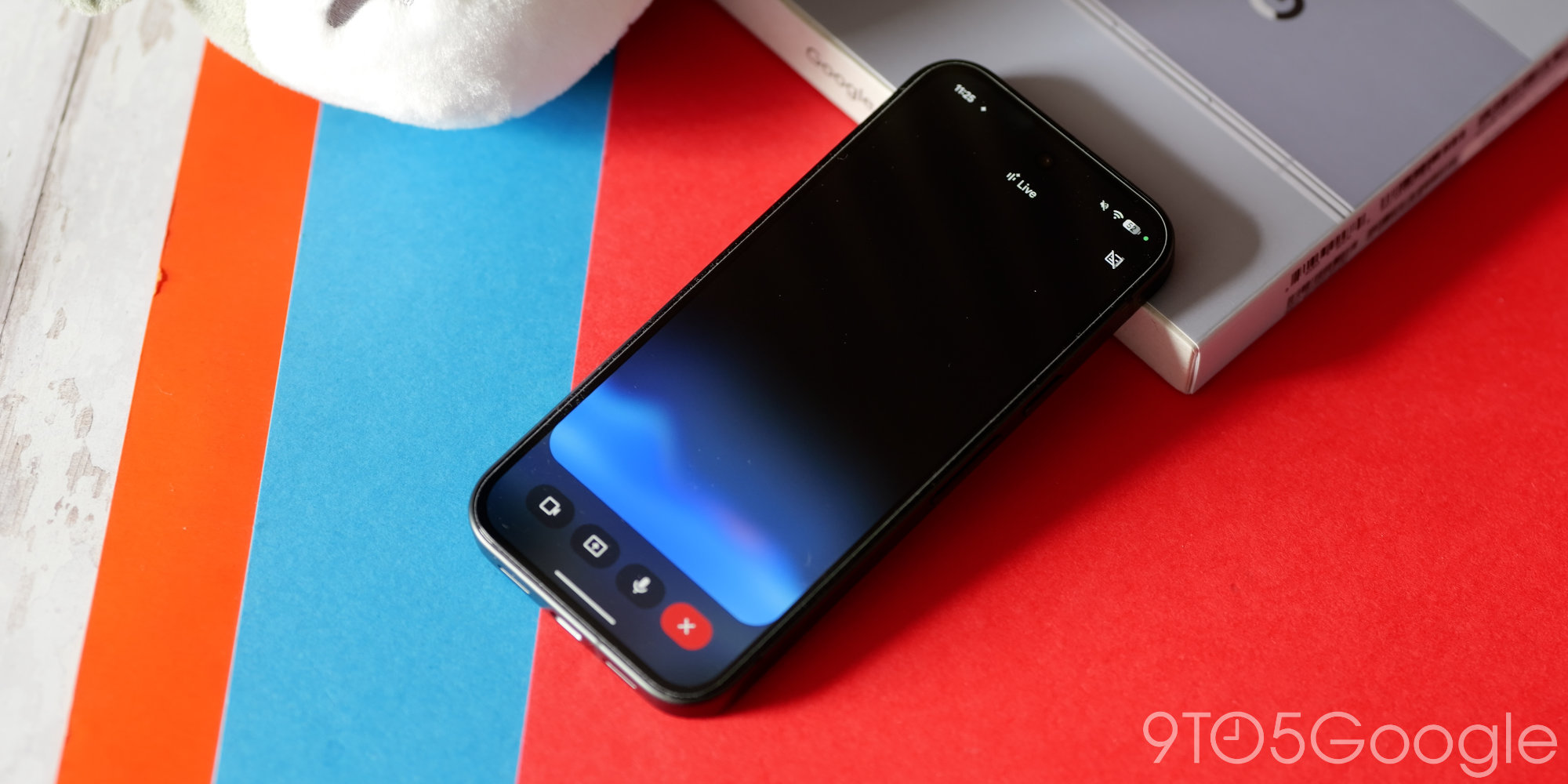
The most noticeable change is the shift from a full-screen display to a more compact, floating interface. This new design presents a waveform at its center, surrounded by key controls for screen sharing and a keyboard option to end the Live session.
Previously, Gemini Live would occupy the entire display, potentially disrupting your workflow. However, this redesign allows you to keep other apps visible and accessible while interacting with the AI. It’s all about making Gemini feel like a natural extension of your Android experience, rather than a separate application.
A More Integrated Experience
One of the standout features of this redesign is its behavior during multitasking. When you navigate away from Gemini Live to use another app, the overlay intelligently shrinks into a smaller, unobtrusive circle. This ensures that your conversation with Gemini can continue in the background without blocking your view of other content on your phone.
This floating design also replaces the old fullscreen interface within the main Gemini app itself, creating a consistent and less obtrusive user experience across the board.
Why This Matters for Android Users
This update signifies Google’s commitment to making AI assistants more helpful and deeply integrated into our daily digital lives. Gemini Live, powered by advanced models like Gemini 3.1 Flash Live, is designed for low-latency, real-time voice and vision interactions, offering human-like spoken responses.
The move to a non-fullscreen interface enhances the core purpose of Gemini Live: enabling natural, free-flowing conversations. Users can brainstorm ideas, practice aloud, or explore topics without the AI assistant monopolizing their screen. Furthermore, Gemini Live’s multimodal capabilities allow it to process audio, images, and text continuously, even letting you share your camera or screen for real-time assistance.
Google has been steadily integrating Gemini with various other services, including Google Calendar, Keep, and Tasks, and soon Messages and Maps. This redesign further solidifies Gemini’s role as a truly connected and versatile AI companion within the Android ecosystem. Developers can also leverage the Gemini API to integrate these powerful AI capabilities into their own applications.
Looking Ahead
While the Gemini Live redesign is currently in beta, its rollout suggests a clear direction for Google’s AI strategy on Android. We can expect this more fluid and integrated experience to become standard for all users in the near future. This continuous evolution aims to provide a more intuitive and powerful AI assistant that works alongside you, rather than demanding your full attention. For more information on Google’s AI initiatives, you can visit the official Google AI Blog.
Conclusion
The latest Gemini Live redesign on Android marks a significant step towards a more subtle and integrated AI experience. By shifting away from a fullscreen interface to a floating overlay, Google is making its powerful AI assistant more accessible and less disruptive, ultimately enhancing user productivity and interaction on Android devices.
Source
