Close Menu
DroidfeatsDroidfeats

    Subscribe to Updates

    Join our most passionate readers to get instant access to tech tips as they arrive!

    What's Hot
    Gemini App Bug Rolls Back Features & Reverts UI on Android

    Gemini App Bug Rolls Back Features & Reverts UI on Android

    April 19, 2026
    Google Assistant’s Future: What’s Next for Your Smart AI?

    Google Assistant’s Future: What’s Next for Your Smart AI?

    April 18, 2026
    Samsung’s Galaxy S26 Vertical Camera: A Design Identity with Challenges

    Samsung’s Galaxy S26 Vertical Camera: A Design Identity with Challenges

    April 18, 2026
    Facebook X (Twitter) Instagram
    • About
    • Privacy Policy
    • DMCA
    • Team
    • Get In Touch
    Facebook X (Twitter) Instagram Pinterest RSS
    DroidfeatsDroidfeats
    • Home
    • News
    • Apps
    • Tips
    • VPN
    • #TheBest
      • Get GCam Ports
      • USB Drivers
      • Get Magisk
      • Get Play Store
      • Get ADB binaries
    • Commands
    Best Deals
    DroidfeatsDroidfeats
    News

    Gemini App Bug Rolls Back Features & Reverts UI on Android

    Leisangthem RajshreeBy Leisangthem RajshreeApril 19, 2026No Comments3 Mins Read
    Share
    Facebook Twitter LinkedIn Pinterest Reddit Email

    Android users relying on Google’s Gemini app are currently facing an unexpected setback. A widespread bug has caused several recently introduced features to disappear and the app’s user interface (UI) to revert to an older design, disrupting the experience for many.
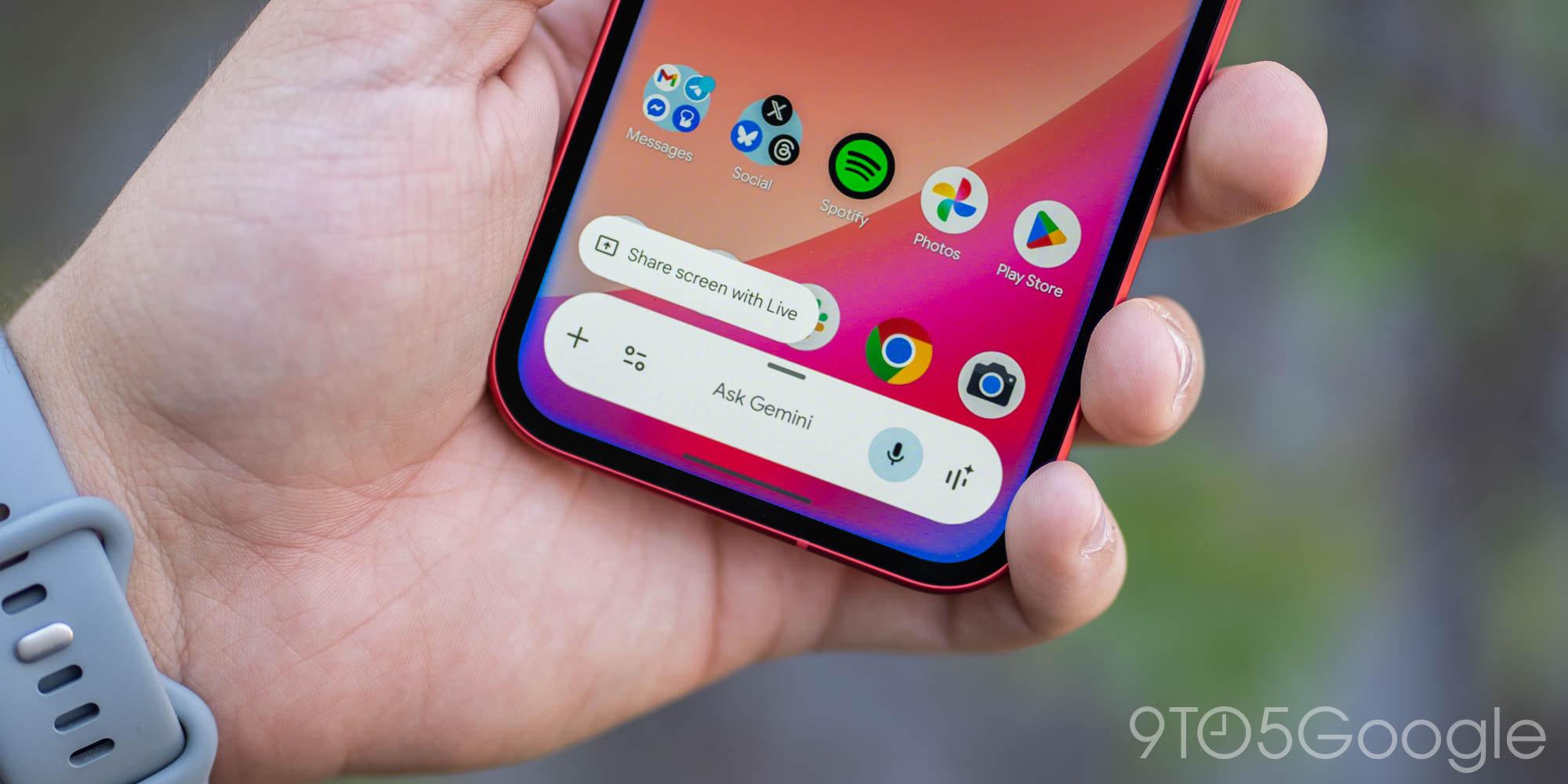
    | Image credit: 9to5Google

    This Gemini app bug, affecting both stable and beta versions of the Google app (version 17.14), has been observed over the past day or so. It appears to be a server-side issue, meaning users can’t simply update the app to fix it.

    Key Features Lost in the Rollback

    The bug has significantly impacted the functionality and appearance of the Gemini app. Users are reporting a loss of several convenient tools and visual elements.

    • The ability to upload NotebookLM notebooks via the ‘plus’ menu in the prompt box has been removed, with the design changing from a list to side-by-side pills.
    • The “Temporary chat” button, designed for private conversations, has vanished from the top-right corner.
    • The “Import memory to Gemini” option is missing from the profile menu, hindering efforts to bring over personal context.
    • Voice-to-text functionality has regressed, now automatically sending messages during pauses rather than waiting for a manual send.
    • Users can only upload one image at a time, a limitation compared to previous capabilities.
    • The option to delete a chat within an ongoing conversation is no longer available.

    User Interface Reverts to an Older Look

    Beyond the lost features, the visual experience of the Gemini app has also taken a step backward. The sleek black background has reverted to a gray color, and the suggested action pills have lost their distinct outlines.

    Furthermore, the Android overlay has returned to an earlier design, lacking full access to the Tools menu, and the fullscreen glow effect is no longer present. These changes contribute to a less refined and potentially less intuitive user experience.

    What This Means for Users

    For many, the Gemini app has become an integral part of their daily workflow, assisting with everything from brainstorming to managing information. This sudden rollback means a disruption to productivity and a less efficient interaction with the AI assistant.

    Users who rely on features like NotebookLM integration, temporary chats, or streamlined voice input will find their routines hampered. However, it’s worth noting that the web version, gemini.google.com, remains unaffected and provides full access to features for those needing a workaround.

    Google’s Response and Next Steps

    While Google has not yet issued an official statement, the issue is widely acknowledged by users across various platforms. The expectation is that Google will deploy a server-side fix to restore the lost features and the updated UI in due course.

    In the meantime, affected users can consider providing feedback directly through the app’s settings or by visiting the Gemini web interface to report their experience. This helps Google prioritize and address the bug more quickly. You can also check for updates to the Gemini app on the Google Play Store, although many of these changes are often server-side.

    Conclusion

    The recent bug affecting the Gemini app on Android is an unfortunate setback for users who have come to rely on its advanced features and modern interface. While the web version offers a temporary solution, the community eagerly awaits a swift resolution from Google to restore the full functionality and streamlined experience of their AI assistant.

    Source

    9to5Google
    AI assistant Android app issues Google Gemini Tech News UI rollback
    Follow on Google News Follow on Facebook
    Share. Facebook Twitter Pinterest LinkedIn Tumblr Email
    Previous ArticleGoogle Assistant’s Future: What’s Next for Your Smart AI?
    Leisangthem Rajshree
    • Website
    • Facebook
    • Instagram
    • LinkedIn

    Rajshree is a dedicated and passionate technology journalist. With a keen interest in the latest developments in the tech world, she consistently provides insightful and in-depth coverage of various technological advancements. Her work spans a wide range of topics, including software development, artificial intelligence, cybersecurity, and emerging tech trends.

    Related Posts

    Google Assistant’s Future: What’s Next for Your Smart AI?
    News

    Google Assistant’s Future: What’s Next for Your Smart AI?

    April 18, 2026
    Samsung’s Galaxy S26 Vertical Camera: A Design Identity with Challenges
    News

    Samsung’s Galaxy S26 Vertical Camera: A Design Identity with Challenges

    April 18, 2026
    Oppo Find X9s and Find X9 Ultra Set for Global Launch
    News

    Oppo Find X9s and Find X9 Ultra Set for Global Launch

    April 18, 2026
    Add A Comment
    Leave A Reply Cancel Reply

    Top Posts
    MX Player Custom Codec [AC3, DTS, MLP, TrueHD, and more]

    MX Player Custom Codec [AC3, DTS, MLP, TrueHD, and more]

    January 4, 2025182K
    Do a Barrel Roll 20 Times on Google & other search games (2025)

    Do a Barrel Roll 20 Times on Google & other search games (2025)

    April 12, 202558,493
    47 best root apps for Android devices in 2025 (NEW LIST – Updated)

    47 best root apps for Android devices in 2025 (NEW LIST – Updated)

    April 16, 202529,715
    Stay In Touch
    • Facebook
    • Twitter
    • Instagram
    • Pinterest
    • Reddit
    • Telegram
    Latest Reviews
    Your dream Tablet just got cheaper: Galaxy Tab S9 Ultra sale
    9.5
    Deals

    Your dream Tablet just got cheaper: Galaxy Tab S9 Ultra sale

    Leisangthem RajshreeMarch 3, 2024
    Tixee Review – Honest opinion from a trader [Updated] Tips

    Tixee Review – Honest opinion from a trader [Updated]

    Saeed Ashif AhmedNovember 3, 2022

    Subscribe to Updates

    Join our most passionate readers to get instant access to tech tips as they arrive!

    Most Popular
    MX Player Custom Codec [AC3, DTS, MLP, TrueHD, and more]

    MX Player Custom Codec [AC3, DTS, MLP, TrueHD, and more]

    January 4, 2025182K
    Do a Barrel Roll 20 Times on Google & other search games (2025)

    Do a Barrel Roll 20 Times on Google & other search games (2025)

    April 12, 202558,493
    47 best root apps for Android devices in 2025 (NEW LIST – Updated)

    47 best root apps for Android devices in 2025 (NEW LIST – Updated)

    April 16, 202529,715
    Our Picks
    Gemini App Bug Rolls Back Features & Reverts UI on Android

    Gemini App Bug Rolls Back Features & Reverts UI on Android

    April 19, 2026
    Google Assistant’s Future: What’s Next for Your Smart AI?

    Google Assistant’s Future: What’s Next for Your Smart AI?

    April 18, 2026
    Samsung’s Galaxy S26 Vertical Camera: A Design Identity with Challenges

    Samsung’s Galaxy S26 Vertical Camera: A Design Identity with Challenges

    April 18, 2026

    Subscribe to Updates

    Join our most passionate readers to get instant access to tech tips as they arrive!

    Facebook X (Twitter) Instagram Pinterest
    • About Us
    • Privacy Policy
    • Terms
    • Jobs
    • Contact
    © 2026 Droidfeats. All rights reserved.

    Type above and press Enter to search. Press Esc to cancel.

    Ad Blocker Enabled!
    Ad Blocker Enabled!
    Our website is made possible by displaying online advertisements to our visitors. Please support us by disabling your Ad Blocker.