Close Menu
DroidfeatsDroidfeats

    Subscribe to Updates

    Join our most passionate readers to get instant access to tech tips as they arrive!

    What's Hot
    New Roanoke VA Driving RP Codes Released for Roblox Simulator

    New Roanoke VA Driving RP Codes Released for Roblox Simulator

    May 12, 2026
    Samsung One UI 8.5 Update Rolls Out to US Galaxy S25 Users

    Samsung One UI 8.5 Update Rolls Out to US Galaxy S25 Users

    May 12, 2026
    Apple, Google Roll Out End-to-End Encryption for RCS Messaging

    Apple, Google Roll Out End-to-End Encryption for RCS Messaging

    May 12, 2026
    Facebook X (Twitter) Instagram
    • About
    • Privacy Policy
    • DMCA
    • Team
    • Get In Touch
    Facebook X (Twitter) Instagram Pinterest RSS
    DroidfeatsDroidfeats
    • Home
    • News
    • Apps
    • Tips
    • VPN
    • #TheBest
      • Get GCam Ports
      • USB Drivers
      • Get Magisk
      • Get Play Store
      • Get ADB binaries
    • LoL Tier List
    Best Deals
    DroidfeatsDroidfeats
    News

    Gemini in Chrome Expands to Asia Pacific, Bringing AI Power to More Users

    Joyce de CastroBy Joyce de CastroApril 21, 2026No Comments4 Mins Read
    Share
    Facebook Twitter LinkedIn Pinterest Reddit Email

    Good news for tech enthusiasts across Asia Pacific: Google is significantly expanding the reach of its powerful AI assistant, Gemini, directly within the Chrome browser. This rollout brings advanced artificial intelligence capabilities to millions more users, making web browsing smarter and more efficient than ever before.

    After initially launching in a limited number of countries, Gemini in Chrome Asia Pacific is now available in a broader region, marking a major step in integrating AI into everyday digital tasks. This expansion means users can now access a suite of AI-powered tools without ever leaving their browser.
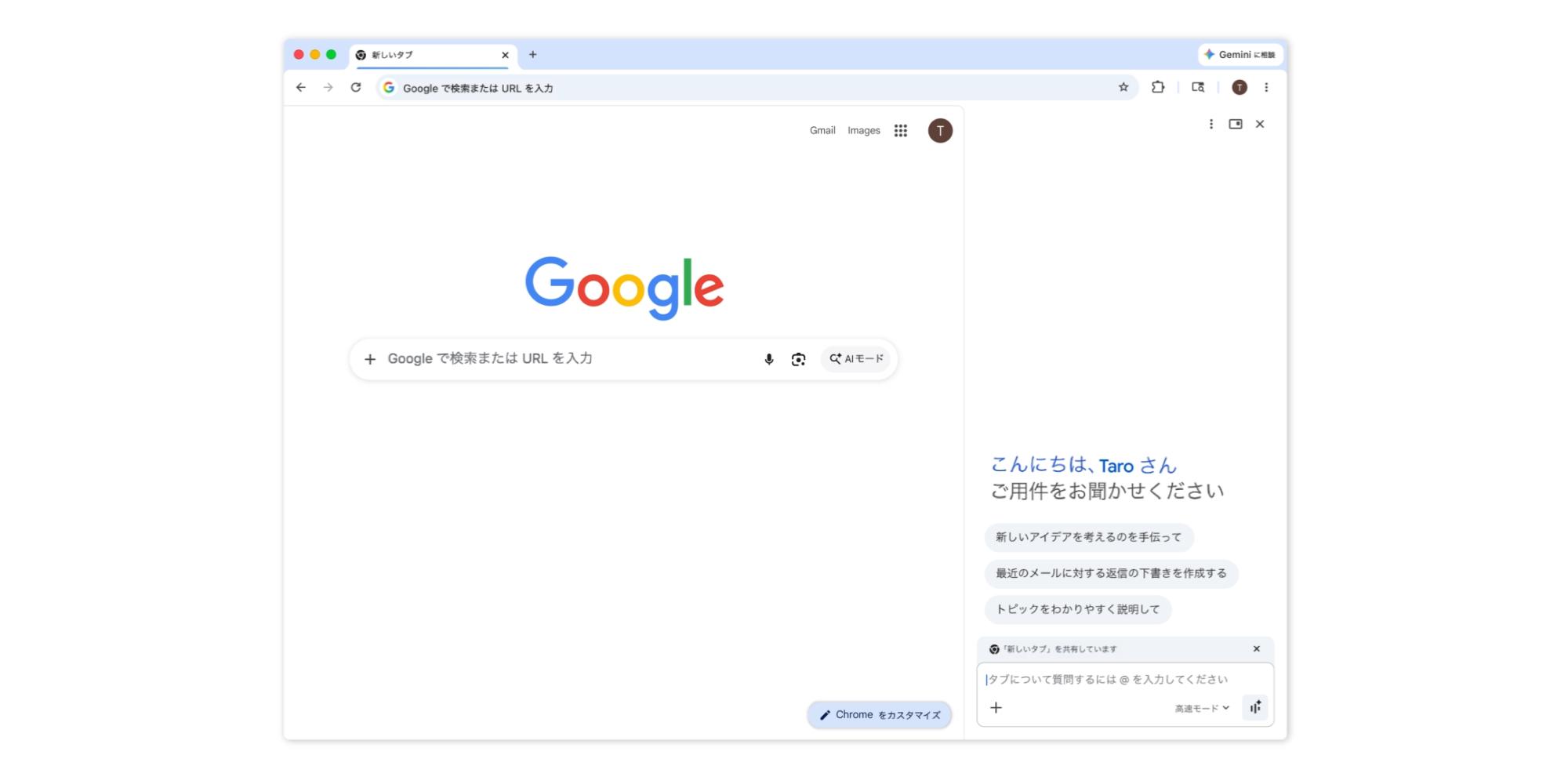
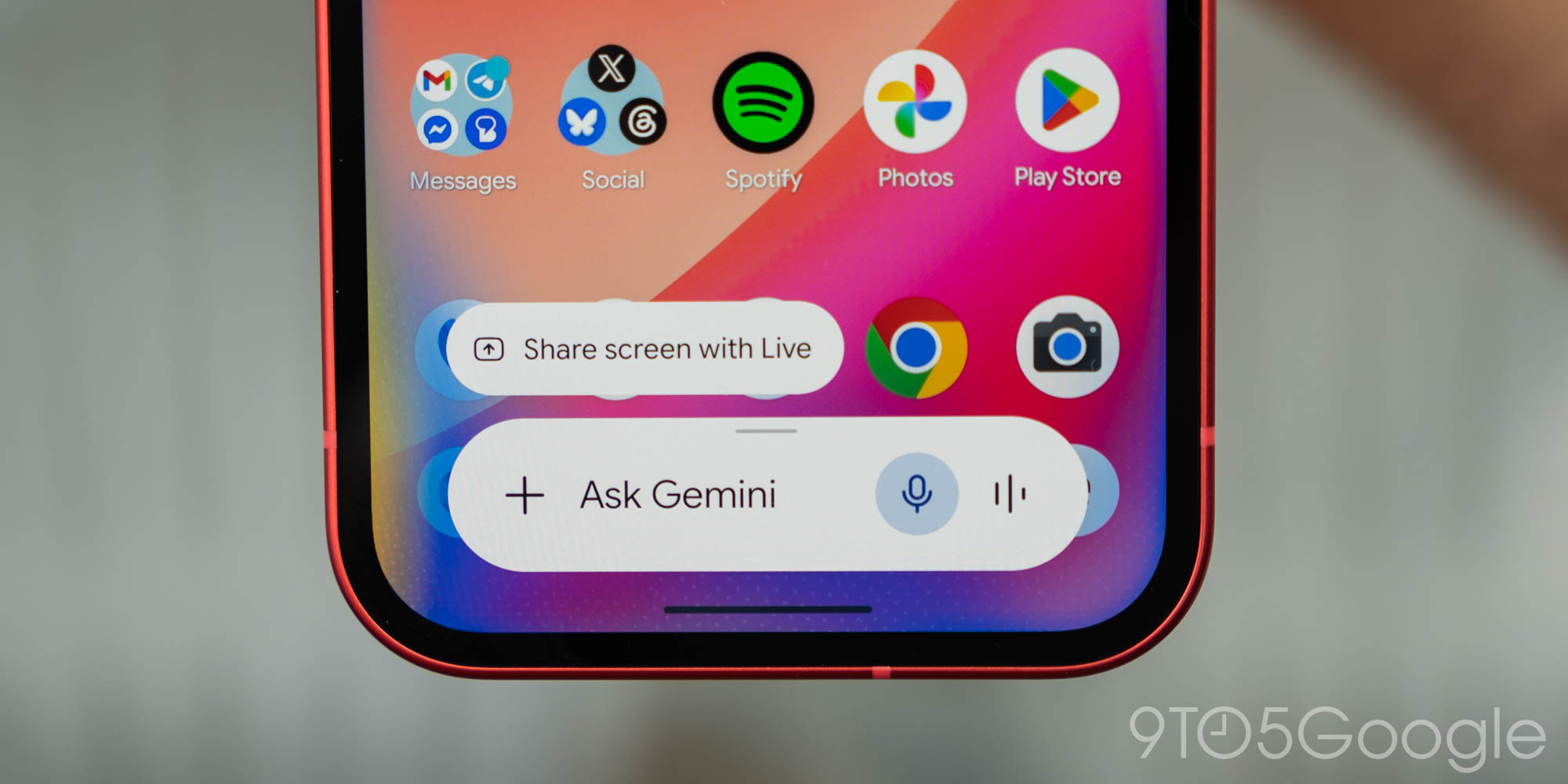
    | Image credit: 9to5Google

    What is Gemini in Chrome?

    Gemini in Chrome is Google’s integrated AI assistant, designed to provide real-time help and enhance productivity directly within your web browser. It acts as a browsing assistant, capable of understanding the context of your open tabs to offer relevant assistance.

    Users can leverage Gemini to perform a variety of tasks, such as getting key takeaways from lengthy articles, clarifying complex concepts, or finding quick answers without switching tabs. Furthermore, it can help you multitask with a new side panel experience, keeping your primary work visible while Gemini handles other tasks.

    Key Features for Enhanced Browsing

    • Summarize and Understand: Quickly get summaries of web pages or ask questions about content across up to 10 open tabs.
    • Content Generation: Draft emails, social media posts, or even create images using Google’s Nano Banana 2 directly within the browser.
    • Integrated with Google Apps: Gemini can connect with your Google apps like Gmail, Calendar, YouTube, and Maps to help you manage tasks, find information, and even compose emails from the browser.
    • Automated Tasks: A feature called “auto browse” allows Gemini to handle multi-step tasks, such as booking appointments or filling out forms, though this is currently in preview for specific subscribers in the U.S.
    • Voice Interaction: Engage in two-way voice conversations with Gemini Live for brainstorming or meeting preparation.

    Expansion to Asia Pacific

    Previously, Gemini in Chrome was available only in a few select countries, including the US, Canada, India, and New Zealand. Now, Google is rolling out this powerful AI tool to a broader audience across the Asia Pacific region.

    The expansion specifically includes users in Australia, Indonesia, Japan, the Philippines, Singapore, South Korea, and Vietnam. This wider availability means more people can now benefit from AI-powered assistance directly integrated into their Chrome browsing experience.

    What This Means for Users

    The arrival of Gemini in Chrome across Asia Pacific is a game-changer for productivity and web interaction. It transforms the browser from a passive tool into a proactive assistant, helping users manage information, create content, and streamline daily tasks more effectively.

    For students, researchers, and professionals, the ability to summarize articles or compare information across multiple tabs without constant switching can save significant time. Casual users will also find it easier to draft messages, plan activities, or even edit images with simple commands, making complex tasks more accessible. This expansion also supports over 50 languages, further broadening its accessibility.

    Google emphasizes that Gemini in Chrome is user-controlled, only activating when you choose to use it, and prioritizes user privacy and security. You can learn more about Google’s AI initiatives on the Google AI Blog.

    Conclusion

    The rollout of Gemini in Chrome to the Asia Pacific region underscores Google’s commitment to embedding advanced AI capabilities into its core products. This move promises to make web browsing a more intelligent, personalized, and productive experience for a vast new user base. As AI continues to evolve, expect to see even more innovative features integrated into your daily digital life through platforms like Google Chrome and Gemini from Google.

    Source

    9to5Google
    Asia Pacific Tech Browser AI Gemini in Chrome Google AI Productivity Tools
    Add Droidfeats as a preferred source on Google
    Share. Facebook Twitter Pinterest LinkedIn Tumblr Email Copy Link
    Previous ArticleTim Cook Steps Down as Apple CEO, John Ternus Takes Helm
    Next Article Samsung Galaxy A57 5G: A Premium Mid-Range Phone with AI and Long-Term Support
    Joyce de Castro

    Joyce is a passionate technology journalist who enjoys exploring and writing about the ever-evolving world of tech. She covers a wide range of topics, including software development, artificial intelligence, cybersecurity, and emerging digital trends. Known for her clear and engaging writing style, Joyce delivers insightful coverage that helps readers stay informed about the latest innovations and industry developments.

    Related Posts

    New Roanoke VA Driving RP Codes Released for Roblox Simulator
    News

    New Roanoke VA Driving RP Codes Released for Roblox Simulator

    May 12, 2026
    Samsung One UI 8.5 Update Rolls Out to US Galaxy S25 Users
    News

    Samsung One UI 8.5 Update Rolls Out to US Galaxy S25 Users

    May 12, 2026
    Apple, Google Roll Out End-to-End Encryption for RCS Messaging
    News

    Apple, Google Roll Out End-to-End Encryption for RCS Messaging

    May 12, 2026
    Add A Comment
    Leave A Reply Cancel Reply

    Top Posts
    MX Player Custom Codec [AC3, DTS, MLP, TrueHD, and more]

    MX Player Custom Codec [AC3, DTS, MLP, TrueHD, and more]

    May 1, 2026185K
    Do a Barrel Roll 20 Times on Google & other search games (2026)

    Do a Barrel Roll 20 Times on Google & other search games (2026)

    May 1, 202658,516
    47 best root apps for Android devices in 2025 (NEW LIST – Updated)

    47 best root apps for Android devices in 2025 (NEW LIST – Updated)

    April 16, 202529,873
    Stay In Touch
    • Facebook
    • Twitter
    • Instagram
    • Pinterest
    • Reddit
    • Telegram
    Latest News
    New Roanoke VA Driving RP Codes Released for Roblox Simulator News

    New Roanoke VA Driving RP Codes Released for Roblox Simulator

    Saeed Ashif AhmedMay 12, 2026
    Samsung One UI 8.5 Update Rolls Out to US Galaxy S25 Users News

    Samsung One UI 8.5 Update Rolls Out to US Galaxy S25 Users

    Saeed Ashif AhmedMay 12, 2026
    Apple, Google Roll Out End-to-End Encryption for RCS Messaging News

    Apple, Google Roll Out End-to-End Encryption for RCS Messaging

    Saeed Ashif AhmedMay 12, 2026

    Subscribe to Updates

    Join our most passionate readers to get instant access to tech tips as they arrive!

    Most Popular
    MX Player Custom Codec [AC3, DTS, MLP, TrueHD, and more]

    MX Player Custom Codec [AC3, DTS, MLP, TrueHD, and more]

    May 1, 2026185K
    Do a Barrel Roll 20 Times on Google & other search games (2026)

    Do a Barrel Roll 20 Times on Google & other search games (2026)

    May 1, 202658,516
    47 best root apps for Android devices in 2025 (NEW LIST – Updated)

    47 best root apps for Android devices in 2025 (NEW LIST – Updated)

    April 16, 202529,873
    Our Picks
    New Roanoke VA Driving RP Codes Released for Roblox Simulator

    New Roanoke VA Driving RP Codes Released for Roblox Simulator

    May 12, 2026
    Samsung One UI 8.5 Update Rolls Out to US Galaxy S25 Users

    Samsung One UI 8.5 Update Rolls Out to US Galaxy S25 Users

    May 12, 2026
    Apple, Google Roll Out End-to-End Encryption for RCS Messaging

    Apple, Google Roll Out End-to-End Encryption for RCS Messaging

    May 12, 2026

    Subscribe to Updates

    Join our most passionate readers to get instant access to tech tips as they arrive!

    Facebook X (Twitter) Instagram Pinterest
    • About Us
    • Privacy Policy
    • Terms
    • Jobs
    • Contact
    © 2026 Droidfeats. All rights reserved.

    Type above and press Enter to search. Press Esc to cancel.

    Ad Blocker Enabled!
    Ad Blocker Enabled!
    Our website is made possible by displaying online advertisements to our visitors. Please support us by disabling your Ad Blocker.