



Samsung began rolling out the stable One UI 9 update based on Android 17 to Galaxy S25 handsets and its latest generation of foldable devices in the United States this week.
Key points
- Samsung began distributing stable Android 17-based One UI 9 builds to US flagships.
- The rollout covers the Galaxy S25 family, the Galaxy S25 FE, and the 2025 foldable lineup.
- Full installation packages measure approximately 4GB when moving directly from One UI 8.5.
- New features include My FanCam AI tracking, contextual Now Nudge cards, and integrated diagnostic menus.
The deployment delivers Google’s latest operating system alongside Samsung’s refreshed interface to American devices following an initial software release in South Korea. Carrier-locked units and unlocked variants across major domestic network providers are receiving the software now, with international rollouts scheduled to expand to additional regions next week.
US Rollout and Firmware Build Numbers
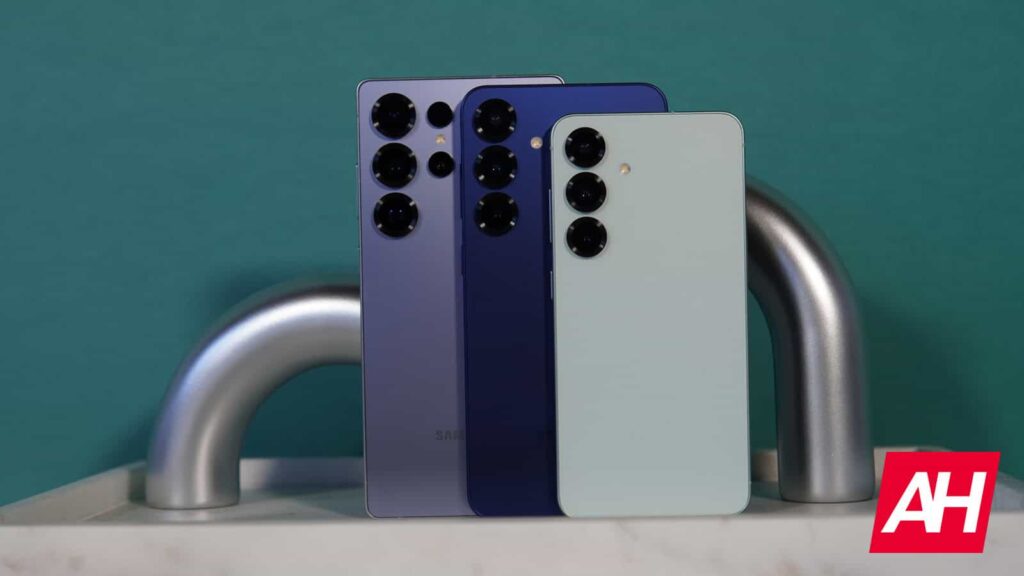
The update targets Samsung’s flagship catalog released over the past year. Owners of the standard Galaxy S25, S25+, and S25 Ultra receive build number DZIF. Samsung is also sending build CZIF to the entry-level Galaxy S25 FE.
The company is simultaneously upgrading its 2025 book-style and clamshell foldables. Firmware version CZIH is now arriving on both the Galaxy Z Fold 7 and Galaxy Z Flip 7. These releases mark the transition to Android 17 across Samsung’s primary premium product lines.
System Download Sizes and Installation Details
Users transitioning straight from stable builds of One UI 8.5 face a full system download measuring roughly 4GB. Because the package replaces core system partitions, installation requires several minutes to flash and optimize device applications.
Participants who ran the One UI 9 public beta over recent weeks will receive a much smaller delta update. Because beta testers already possess most of the Android 17 base files, their patch only applies final stability corrections. Device owners can manually initiate the upgrade by navigating to Settings, selecting Software Update, and choosing Download and Install.
Interface Tweaks and Device Care Tools
One UI 9 introduces several interface modifications intended to streamline routine navigation. The Quick Panel features updated layout controls, while productivity services including Samsung Notes and Samsung DeX receive workflow additions designed for larger displays.
Samsung also added an integrated Warranty and Care section within the system Settings menu. This section allows owners of eligible Galaxy hardware to run internal hardware diagnostics directly on the device and verify service coverage status without installing auxiliary testing tools.
Galaxy AI Video Tools and Privacy Controls
The update incorporates additional machine learning features into the stock gallery and video player. A tool called My FanCam automatically identifies, tracks, and centers a selected subject when editing recorded video clips, removing the need for manual cropping during social video preparation on the Galaxy S25 series.
System monitoring features also see adjustments under Android 17. The interface implements contextual Now Nudge cards to suggest relevant device actions throughout the day. Alongside these cards, background privacy notifications alert users whenever third-party applications attempt to access system permissions without explicit authorization.