Quick answer
Go to playstation.com/en-gb/ps-plus/perks/, sign in with your PSN account, then select "Unlock Offer" on any perk to claim it through the partner's site.
Sony has added a batch of new member perks to PlayStation Plus, covering everything from a free YouTube Premium trial to discounts on DualSense controllers and Sony Electronics gear. The catch is that none of this lives inside the PS5 menu or the PlayStation App — you claim every perk through a web page.
This walks through the whole process, from checking you qualify to unlocking an offer and finishing the redemption on the partner’s own site. It also covers the region and account restrictions that trip people up, and what to do if a perk refuses to unlock.
Before you start
- Difficulty Easy
- Time needed 10 minutes
- Works on PS Plus accounts in UK, France, Germany (web, any device)
What you'll need
- An active PlayStation Plus subscription (any tier)
- A PSN account registered in the UK, France or Germany
- A web browser on PC, mobile, or console
- A payment method for any paid-trial perks
Important
- Free trials for partners like YouTube Premium, Calm, Audible and DAZN usually require a payment method and auto-renew at full price once the trial ends.
- If your PlayStation Plus subscription lapses, you lose access to any perks you haven't claimed yet.
- The DualSense and PlayStation Direct discounts exclude pre-orders, digital games, subscriptions and Flex leasing.
Claim a Perk on PlayStation.com
This is the only way to redeem PS Plus perks right now — there is no separate menu on the PS5 or in the PlayStation App.
Step 1: Open the PS Plus perks page
In any browser, go to playstation.com/en-gb/ps-plus/perks/. You can do this on a PC, phone, or the console’s own web browser.
Step 2: Sign in with your PSN account
Sign in with the PlayStation Network account that holds your PS Plus subscription. PlayStation checks this account to confirm you’re eligible before showing any offers.
Tip: Perks work during a PS Plus free trial too, not just a paid subscription.
Step 3: Browse the available perks
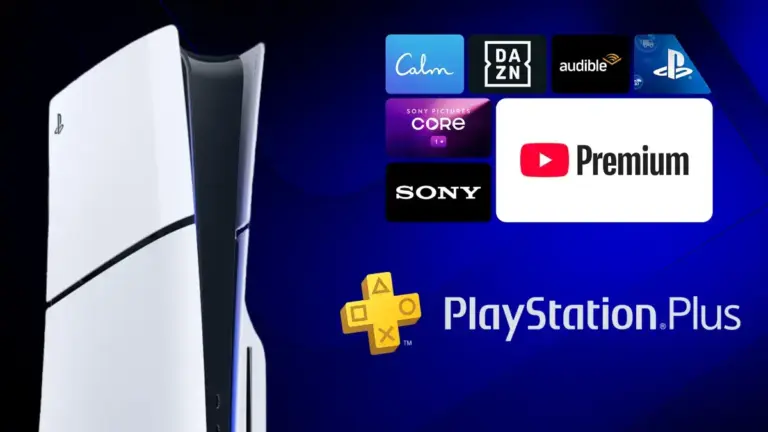
Scroll through the current lineup, which includes a 3-month YouTube Premium trial, 5% off PlayStation Direct purchases, £10 off select DualSense controllers, 10% off Sony Electronics gear, a Sony Pictures Core credit, Audible at £0.99 a month, 20% off DAZN Ultimate, and a 2-month Calm Premium trial.
Step 4: Select a perk and tap Unlock Offer
Open the perk you want, then select Unlock Offer. PlayStation hands you off to the partner’s own site or checkout to finish redeeming.
Step 5: Finish redemption on the partner's site
Follow whatever steps the partner asks for. Some, like YouTube Premium, need a payment method and proof you’ve never used that service’s Premium tier before. Others, like the DualSense discount, give you a voucher code to enter at checkout on direct.playstation.com.
Some partners may ask for extra account details or a separate sign-up before the discount applies.
Tip: Write down any voucher code before you leave the perks page, in case you need it later at checkout.
Pro tips
- Check back on the perks page regularly, since Sony adds new offers over time.
- If a perk is for new customers only and you've used that service before, there's no workaround — it simply won't apply.
- Combine the DualSense discount with your standard 5% PlayStation Direct discount for extra savings on that purchase.
- Turn off auto-renewal on any paid-trial perk before the trial ends if you don't want to keep paying.
- Read each offer's fine print for country-specific limits, since some discounts only apply to one of the three eligible countries.
Troubleshooting
| Problem | What to do |
|---|---|
| The perks page shows no offers or says you're not eligible | Confirm your PSN account is registered in the UK, France or Germany, and wait 24 to 48 hours after joining PS Plus before trying again. |
| A trial offer gets rejected at checkout | Check whether that perk is restricted to new subscribers; if you've used the partner's Premium service before, there's no way around that limit. |
| You're not sure which perks you already redeemed | Revisit playstation.com/en-gb/ps-plus/perks/ while signed in, since claimed offers are usually marked on the page. |
| The DualSense discount code doesn't stack as expected | Check the terms at checkout on direct.playstation.com, since some sources say it combines with the 5% membership discount and others note limits per order. |
Frequently asked questions
Who can claim the new PS Plus perks?
Anyone with an active PS Plus subscription, on any tier, whose PSN account is registered in the UK, France or Germany. Some offers also require you to be 16 or older, and paid-trial perks like YouTube Premium require you to be 18 with a valid payment method.
Can I claim perks during a PS Plus free trial?
Yes, perks are available while you’re in a PlayStation Plus free trial period, not just with a paid subscription.
Why can't I see any perks on my account?
If you just joined PS Plus, allow 24 to 48 hours for your account to become eligible. Otherwise, confirm your account is registered in one of the three eligible countries.
Will PS Plus perks come to other regions like the US?
Sony hasn’t announced a wider rollout. Starting in the UK, France and Germany looks like a test, and the partners involved operate worldwide, so expansion is possible but unconfirmed.
Once you know the perks live on a web page rather than in a console menu, claiming them takes a couple of minutes per offer. For more on what’s included in this rollout, see PS Plus Adds New Member Perks in UK, France, Germany.
Sources and further reading
- PlayStation — PlayStation®Plus perks | Enjoy offers that bring you more value, more entertainment and mo
- The Tech Outlook — Sony announces new perks for PlayStation Plus Members – The Tech Outlook
- PlayStationInfo.de — PS Plus is getting some unexpected new perks, and Sony is even giving away Premium subscri
- El-Balad.com — Sony adds eight Ps Plus Perks, including YouTube Premium trial – El-Balad.com