Quick answer
Most Fortnite region errors on iPhone come from an Apple Account Country/Region that does not match the store you are trying to use; fix it under Settings > [your name] > Media & Purchases > View Account > Country/Region.
Fortnite’s availability on iPhone has changed country by country over the past few years, and the App Store still treats your account’s region as the deciding factor. If Fortnite will not show up in search, throws a
Before you start
- Difficulty Moderate
- Time needed 20 minutes
- Works on iPhone with iOS 17.0 or later
What you'll need
- An Apple Account signed in on the device
- A local address and payment method (or None) for the target country
- No pending Apple Account balance or active subscriptions blocking a switch
- iOS 17.0 or later on a supported iPhone model
Important
- Switching your Apple Account region can remove access to previously purchased apps, subscriptions and media tied to your old country.
- Using a VPN with Location Services disabled to spoof your region is unconfirmed to comply with Apple's Terms of Service and could risk restrictions on your account.
- Changing region is not officially reversible without canceling subscriptions first, so plan the switch rather than doing it on impulse.
Quick Checks Before You Start
Two settings get confused for each other constantly, so rule them out first.
Step 1: Check your device Language & Region
Go to Settings > General > Language & Region and confirm the region shown matches the country you want, such as United States or Australia.
This setting only controls date, time, language and currency formatting. It is not the same as the Apple Account region that controls what you can download, so changing it alone will not fix a Fortnite search error.
Tip: Note the current region here before you touch anything, so you can set it back if needed.
Step 2: Confirm your iPhone model is supported
Fortnite needs a reasonably recent iPhone to run. Older models, including the iPhone XS, XR, X and earlier, do not meet the minimum requirements and will show a
Change Your Apple Account Country or Region
This is the fix that solves the error for most people, because the App Store itself is tied to this setting, not your device language.
Step 1: Open your Apple Account settings
Open the Settings app and tap your name at the top of the screen.
Step 2: Go to Media & Purchases
Tap Media & Purchases, then tap View Account. Sign in again if you are asked to.
Step 3: Tap Country/Region and change it
Tap Country/Region. If it shows the wrong country, tap Change Country or Region, pick the country you want, review the Terms & Conditions, then tap Agree twice to confirm.
For a US switch you will need a US address and a US phone number on file; other countries have their own address and payment requirements.
Tip: Pick 'None' as the payment method if the new country does not require a card and you do not plan to buy anything else there.
Clear the Blockers That Stop a Region Change
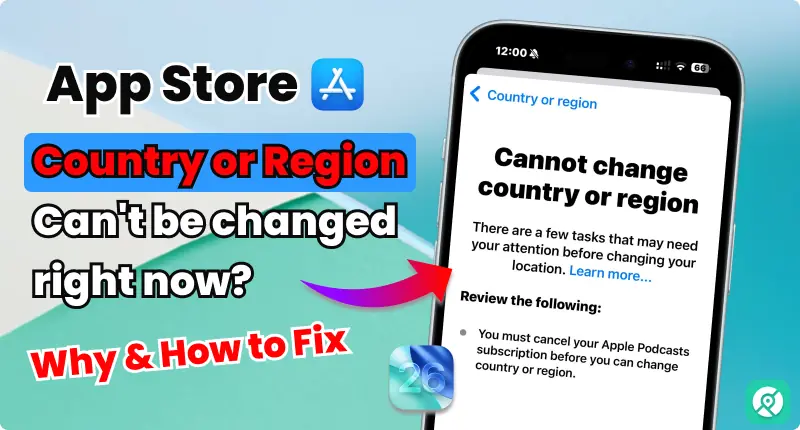
If the Country/Region screen refuses to update, or you see
Step 1: Cancel or let subscriptions expire
Apple will not let you switch regions while you have an active subscription, including Apple Music, iCloud storage plans or any app subscription billed through the App Store. Cancel them under Settings > [your name] > Subscriptions, or wait until they lapse.
Step 2: Bring your Apple Account balance to zero
Any leftover balance, even a single cent, can block a region change. Spend it down on an app or in-app purchase before trying again.
Step 3: Leave Family Sharing if you are in a group
Your region is tied to the Family Sharing organizer’s settings while you are part of a group. Leave the group under Settings > [your name] > Family if the switch keeps failing.
Tip: Changing region this way is not officially reversible without undoing these same steps again, so only switch if you are sure you want to.
Retry the App Store After Switching Regions
A stuck App Store cache is a common reason Fortnite still will not appear even after the region change goes through.
Step 1: Close and reopen the App Store
Double-tap the Home button or swipe up and hold to see open apps, swipe the App Store away to close it, then reopen it and search
Step 2: Sign out and restart if it still fails
Sign out of the App Store under Settings > [your name] > scroll down and tap Sign Out, restart your iPhone, then sign back in and search for Fortnite again.
Allow App Marketplaces for Epic Games Store or AltStore
EU and Japan users install Fortnite outside the App Store, and Screen Time restrictions can silently block that install.
Step 1: Open Content & Privacy Restrictions
Go to Settings > Screen Time > Content & Privacy Restrictions.
Step 2: Allow App Marketplaces
Tap Installing Apps or Installation & Purchases, then switch on or allow App Marketplaces. Retry the Epic Games Store or AltStore PAL install afterward.
If you still see an eligibility error during install, Apple’s support community has a thread covering the exact
Try a VPN as a Last Resort
This is an unconfirmed workaround, not an Apple-sanctioned method, and it can carry account risk, so treat it as a final option only.
Step 1: Understand the risk before trying this
Some users report that connecting to a VPN server in the target country and turning off Location Services can get past a
Pro tips
- Write down your original Apple Account country before switching, so you can revert cleanly once Fortnite is installed.
- Re-download any region-specific apps, music, films or books after switching, since some may disappear from your library in the new country.
- If Fortnite is already searchable but will not install, sign out of the App Store and back in rather than restarting the whole region change.
Still not working?
| Problem | What to do |
|---|---|
| Country/Region option is greyed out or shows | Cancel active subscriptions, confirm your Apple Account balance is exactly zero, and leave any Family Sharing group before trying again. |
| Fortnite shows | Open Settings, tap your name, then Media & Purchases, then View Account, and confirm Country/Region matches the store you need, such as United States or an EU country. |
| Epic Games Store or AltStore install fails with an eligibility error | Check Settings > Screen Time > Content & Privacy Restrictions > Installing Apps and make sure App Marketplaces is allowed; see Apple's own discussion thread on this exact error for more detail. |
| Region looks correct but Fortnite still will not install | Sign out of the App Store under Settings > [your name], restart the iPhone, then sign back in and search for Fortnite again. |
Frequently asked questions
Is Fortnite available on the US App Store now?
Yes, Fortnite returned to the US App Store after Epic Games won its case against Apple, and it can be downloaded directly through the App Store on eligible iPhones.
Can I install Fortnite in Australia through the App Store?
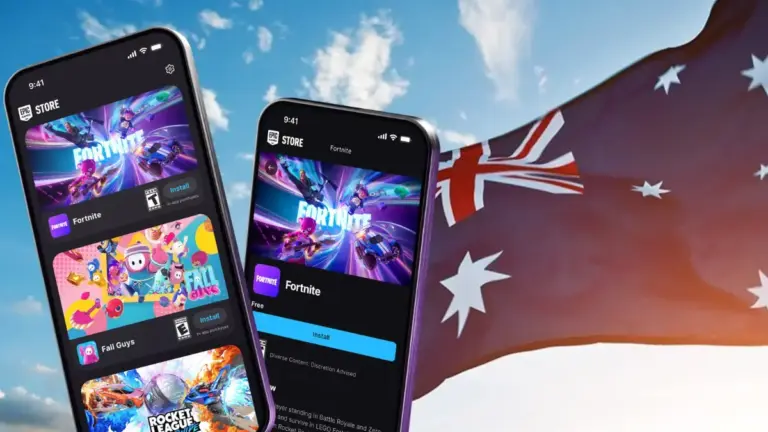
Yes, as of October 22, 2026, Fortnite returned natively to Australia’s App Store following a Federal Court ruling against Apple; Apple is appealing, so this could change again if it wins a stay.
Why do I need a US address to switch my Apple Account to the United States?
Apple requires a local address and phone number for the country you are switching to, and for the US specifically that means a US address and US phone number on file.
What if my iPhone is too old for Fortnite?
Older models such as the iPhone XS, XR and X do not meet the minimum requirements for a direct install; cloud gaming services are the fallback on those devices.
Will changing my App Store region affect my other apps?
It can. Subscriptions, purchased apps and region-specific media may become unavailable until you switch back or re-download them in the new region.
Start with the Apple Account Country/Region change, since it resolves the error for most people, and work down this list only if that step gets blocked. For the full walkthrough of installing Fortnite once your region is sorted, see our companion guide on downloading Fortnite on iPhone in Australia.
Sources and further reading
- Discussions Apple
- Pogoskill — Stuck? Fix Can't Change App Store Country or Region Right Now
- Tom — Fortnite is back on iPhones in the US — here's what we know