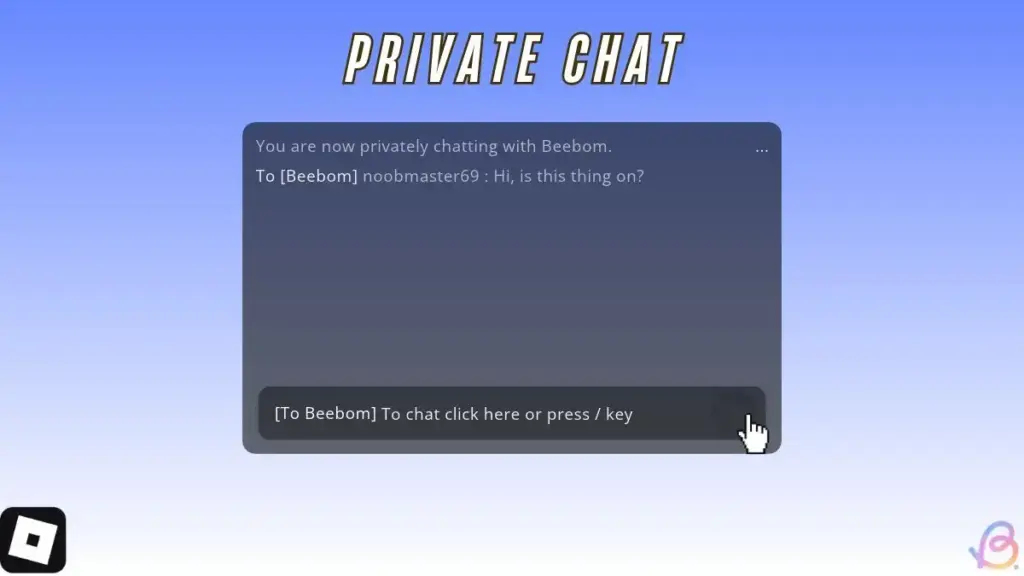
Roblox players who want to message a friend without the rest of the lobby reading along can use the platform’s built-in whisper feature, which opens a two-person chat channel inside the same game through the /whisper or /w command.
Key points
- Roblox players can send private whispers to one other player using the /whisper or /w chat command.
- Whisper channels are removed when either player leaves the experience, according to Roblox's developer documentation.
- Both players must be on the same server, and some games with custom chat may not support whispers.
- Since January 7, 2026, users worldwide must complete an age check before they can chat on Roblox.
- Roblox says text filters stay active and all chat is monitored, including whispers.
The feature matters more now that chat on Roblox sits behind an age check. A player who has not completed one cannot chat at all, so the steps below only work once that requirement is met on both ends of the conversation.
Two ways to start a whisper
The quickest route uses the chat box. Players can select another user’s name in the chat and send a message from there.
- Join a Roblox experience.
- Open chat by pressing the / key on PC or tapping the chat icon on mobile.
- Wait for the other player to post something in chat.
- Click or tap their username.
- Type the message and press Enter or Send.
The second method skips the wait. Typing a command opens the private channel directly, without needing the other player to post first.
- Open the in-game chat.
- Type /w and pick /whisper from the suggestions.
- Add a space and enter the player’s username.
- Add another space and type the message.
- Press Enter or tap Send.
A full command looks like this: /whisper Player123 Hello! Once the channel is open, only the sender and the recipient see the conversation in their chat windows.
What Roblox’s documentation says
The command is part of Roblox’s default chat system. In the TextChatService reference, the default whisper command is listed as RBXWhisperCommand, with “whisper” as its main alias and “w” as its second. Using it puts the sender into whisper mode with another player.
Each whisper creates a separate channel between the two players. Roblox’s documentation says those channels are removed when either player leaves the experience, which means the conversation does not carry over to the next game.
Some third-party guides also list /msg and /tell as working shortcuts. Roblox’s official documentation names only /whisper and /w.
Age check required before any chat
Roblox started requiring age checks for chat in Australia, New Zealand and the Netherlands in December 2025. The rule expanded to every country where chat is available on January 7, 2026. The company described itself at the time as the first large online gaming platform to require age checks for users of all ages to access chat.
The check uses either facial age estimation or ID verification. Roblox has said users who skip it cannot chat, regardless of their actual age, and that the policy is not changing.
The result also places each user into an age group, which limits who can talk to whom:
- Under 9
- 9 to 12
- 13 to 15
- 16 to 17
- 18 to 20
- 21 and older
Both players need a completed age check and chat settings that allow the conversation. Users under 16 need a parent’s consent for direct chat, and users aged 5 to 9 also need consent for experience chat. Since June 2026, the age check also sets account type: ages 5 to 8 get Roblox Kids accounts, ages 9 to 15 get Roblox Select, and those 16 and older get standard accounts.
Age gates now reach beyond chat. The Game Awards 2026 stream on Roblox on December 10 is limited to verified users 18 and older.
Limits on how private a whisper is
A whisper hides messages from other players, not from Roblox. The company says text filters and chat rephrasing stay in place to keep conversations age-appropriate, and all chat is monitored for child exploitation.
Whispers also have practical limits. Both players must be on the same server, so a message will not reach a friend playing the same game in a different instance. Some developers turn off Roblox’s default chat and build their own interface, which may not support the /w command.
Developers have raised the opposite problem as well. Posts on Roblox’s developer forum say the whisper command can be hard to switch off in the default chat even when the setting is disabled.
Players tightening account security can pair chat settings with Roblox’s Session Management tool. DroidFeats has covered how to sign out of all devices on Roblox from a single device.
That tool also works without a password reset, as detailed in our guide to signing out of all Roblox devices instantly.