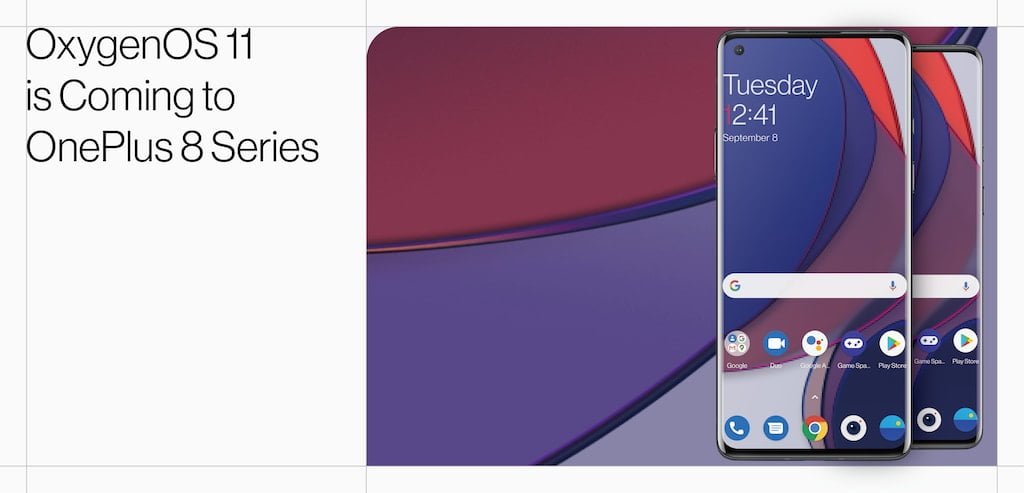
A few hours after Google’s official launch, OnePlus is also concretely moving in the direction of Android 11. The Chinese manufacturer has just released the first Open Beta of OxygenOS 11 for OnePlus 8 and 8 Pro, the new release based on Android 11. Let’s see the changelog together.
System
- A new user interface, new animations and widgets.
- Ability to manage the brightness of the display from the status bar.
Game space
- New switches for Fnatic mode.
- Improvements to prevent accidental touches during gameplay.
Ambient Display
- The Ambient Display for OnePlus arrives, it will be activated through the Display section in the system settings.
- Introduction of 10 new watch styles.
- New design for Insight clock.
Dark mode
- Quick Toggle for direct activation of the dark theme.
- Ability to program the automatic activation of the dark theme based on the time of day.
Zen Mode
- Introduction of 5 new themes (ocean, space, grassland, Zen space1, Zen space2).
- Ability to create groups to invite friends and family.
Gallery
- Introduction of the automatic creation of Stories based on the shots taken in the current week.
- ALSO READ: OnePlus 8 Pro, the quick review!
Installing the first OxygenOS 11 Open Beta is relatively simple and safe, OnePlus’s Open Beta has always been quite ready for daily use. Below we list the installation procedure starting from the most recent stable version of OxygenOS 10:
- Download the correct ROM for your smartphone (this link for OnePlus 8 | this link for OnePlus 8 Pro).
- Copy the downloaded ROM to the smartphone’s internal memory.
- Go to the System updates section of the settings, then access the context menu using the dots at the top right and select Local update.
- Select the downloaded package and start the update.
- Restart your device once the update is complete.
The procedure described above will not reset the internal memory. The next Open Beta will most likely automatically released via OTA. On the contrary, those who want to return to the previous version of the OxygenOS will have to prepare a backp of the files that they do not want to lose. Find more details in the dedicated post on the official OnePlus forum.