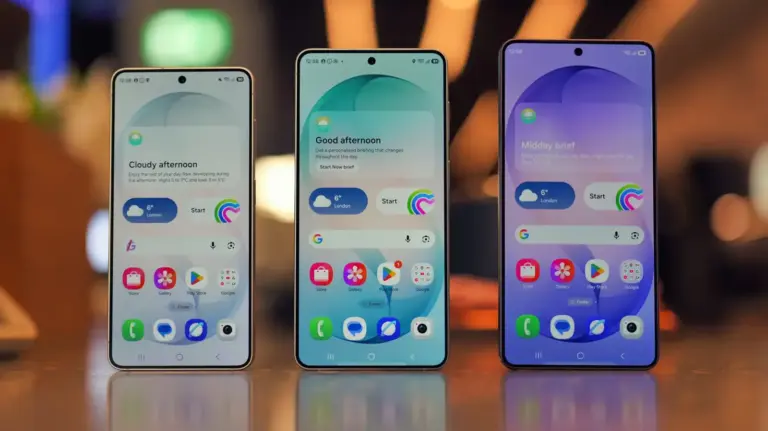
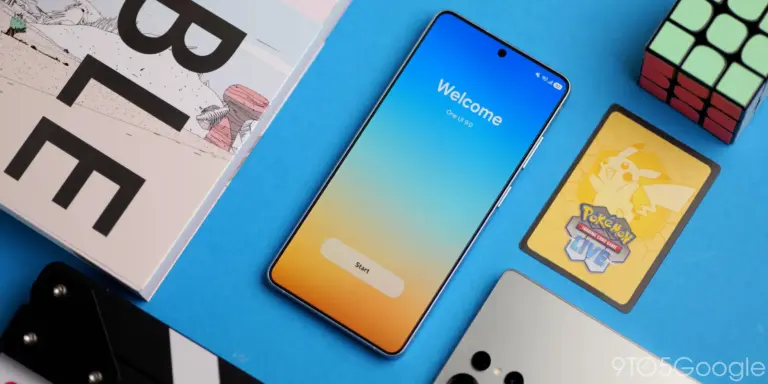
The Samsung Galaxy S26 series has arrived, and while the Ultra model boasts impressive hardware like the exclusive Privacy Display, the standard S26 and S26+ models shine with powerful software enhancements. These often-overlooked features, powered by the latest One UI 8.5, can significantly improve your daily smartphone experience, making your device smarter and more personal.

Discovering the Galaxy S26’s Software Gems
Many of the best additions to the Galaxy S26 lineup are found deep within the software, offering practical solutions for common smartphone annoyances and enhancing productivity. Let’s dive into some of the most useful hidden Galaxy S26 hidden features you should explore.
1. Smart Suggestions Widget
Imagine your phone anticipating your next move. The Smart Suggestions widget does just that, learning your habits and offering relevant apps or actions based on the time of day, location, or even what you’re currently doing. This intelligent widget adapts over time, making your home screen more dynamic and useful.
2. Custom Call Backgrounds
Tired of the same old incoming call screen? With Custom Call Backgrounds, you can personalize your call interface with videos or images. This feature allows you to set a unique visual for specific contacts or all calls, adding a touch of personal flair to an otherwise mundane interaction.
3. Object Eraser in Photo Editor
Photo editing on your phone just got a major upgrade. The Object Eraser tool, found within the Gallery app’s photo editor, lets you magically remove unwanted objects or people from your pictures with surprising accuracy. It’s perfect for cleaning up busy backgrounds or removing photobombers, giving your photos a professional touch.
4. Extra Dim Mode
For those late-night scrolling sessions or environments where even the lowest brightness setting is too much, Extra Dim mode is a lifesaver. This accessibility feature significantly reduces screen brightness beyond the standard controls, making it more comfortable for your eyes in dark conditions. You can find this setting within your accessibility options.
5. RAM Plus for Enhanced Performance
Samsung’s RAM Plus feature allows your Galaxy S26 to use a portion of its internal storage as virtual RAM, effectively boosting your phone’s multitasking capabilities. This means smoother performance when running multiple apps or demanding games. You can adjust the amount of virtual RAM allocated in your device’s settings, tailoring it to your usage needs.
6. Bixby Text Call
Sometimes you can’t or don’t want to answer a call vocally. Bixby Text Call (now often referred to simply as Text Call) lets Bixby answer calls for you, transcribing the caller’s voice into text on your screen. You can then type your responses, which Bixby reads aloud to the caller. This feature is incredibly useful for screening calls, dealing with spam, or when you’re in a noisy environment.
What This Means for You
These hidden Galaxy S26 hidden features demonstrate Samsung’s commitment to enhancing the user experience through software innovation, especially with the advancements in One UI 8.5 and Galaxy AI. They transform your phone from a simple communication device into a more personalized, efficient, and intelligent assistant. Furthermore, these features offer practical benefits, from better privacy to improved accessibility and creative tools, making your Galaxy S26 a more versatile companion.
Conclusion
The Samsung Galaxy S26 series offers much more than meets the eye. By exploring these hidden software features, you can unlock the full potential of your device, making everyday tasks easier and more enjoyable. Take the time to delve into your phone’s settings and discover how these smart additions can truly elevate your Android experience.