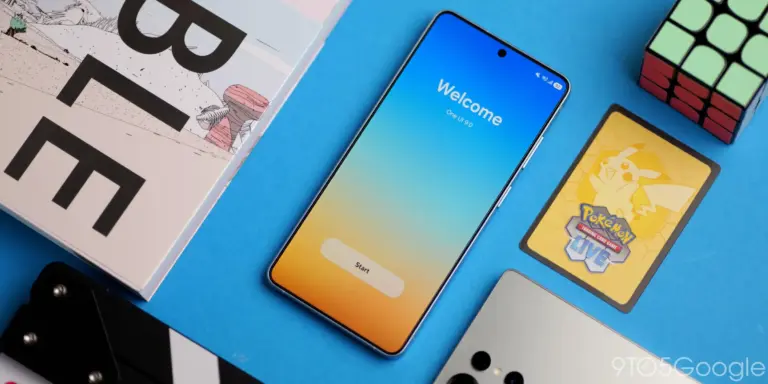
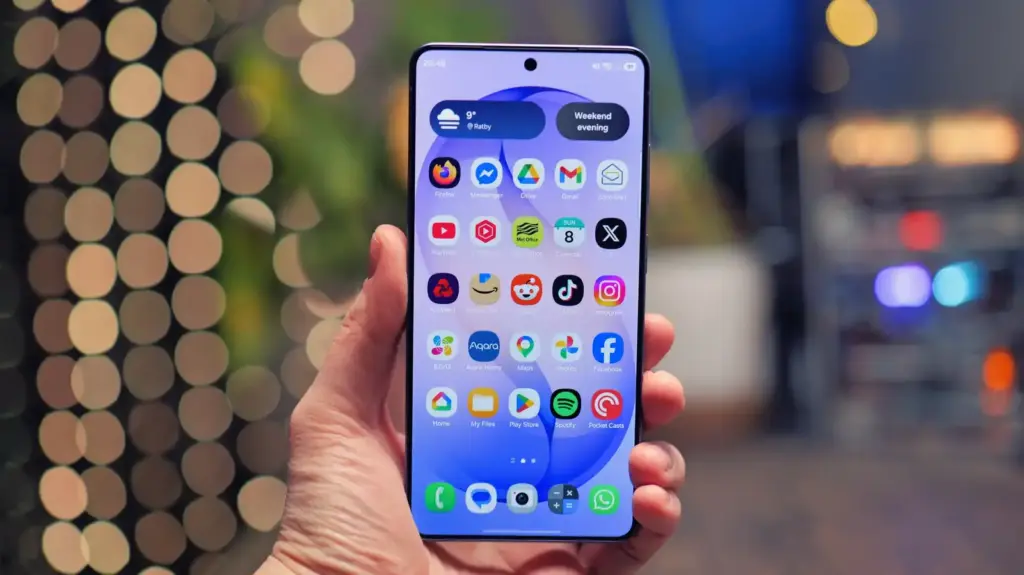
Samsung’s Good Lock app, a free tool that unlocks dozens of hidden customization options on Galaxy phones, has become a central part of how owners personalize their devices under One UI 9. The app, downloadable from the Samsung Galaxy Store or the Google Play Store, lets users reshape the lock screen, navigation bar, camera settings and notification system without touching a custom ROM.
Key points
- Good Lock is a free Samsung app that adds customization modules for the lock screen, navigation, camera and multitasking.
- The app runs on Galaxy phones and tablets using recent versions of One UI, and became globally available on the Google Play Store starting in April 2025.
- One UI 9, which arrived with the Galaxy S26 series in 2026, temporarily broke many modules; Samsung has since restored compatibility for 17 of them.
- Individual modules such as LockStar, MultiStar, RegiStar and NavStar must be downloaded separately rather than installing automatically.
- Some modules, including Game Booster+ and Galaxy to Share, remain restricted to Korea and select markets.
Many Galaxy owners never install it, even though it has existed since 2016 and now offers more than 20 separate modules. For anyone who finds One UI’s built-in settings limiting, Good Lock is often the fastest way to get more out of hardware they already own.
What Good Lock Actually Does
Good Lock itself functions as a control center rather than a single app. Once installed, it organizes modules into four categories: Make Up for visual tweaks like themes and wallpapers, Life Up for functional tools covering navigation and multitasking, Clock for lock-screen clock faces, and Extensions for add-ons that span both main categories.
Modules are not installed automatically. Users pick which ones they want from inside Good Lock and download them individually, which keeps storage use down and avoids cluttering the system with features nobody uses. Samsung recommends starting with two or three modules rather than installing everything at once.
Which Devices Support It
Good Lock works on Galaxy S23 and newer, including the current S26 lineup, as well as the Z Flip 5, Z Fold 5 and later foldables, Tab S9 and newer tablets, and Galaxy A-series phones released since 2022 that run full One UI rather than the lighter One UI Core. The app became available globally through the Google Play Store starting in April 2025, ending years of restrictions that limited it to the Galaxy Store in select countries. A handful of modules, including Game Booster+ and Galaxy to Share, remain exclusive to Korea and a few other markets.
One UI 9, which launched alongside the Galaxy S26 series in 2026, initially broke compatibility with many existing modules because of the scope of changes in the new software. Samsung spent months restoring support, and by July 2026 had brought 17 modules back into working order, giving Galaxy S26, Z Fold 8 and Z Flip 8 owners access to a nearly complete set of customization tools again.
The Modules Worth Installing First
Theme Park handles visual customization, letting users mix colors, icon shapes, backgrounds and fonts, and now includes an AI generator that builds a full theme from a text description. LockStar opens up the lock screen with a drag-and-drop editor for widgets, clocks and shortcuts, plus new animated unlock effects for 2026 called Swirl, Curtain, Ripple, Mosaic and Wave.
MultiStar expands multitasking by letting any app run in split-screen or pop-up mode, even apps that don’t officially support it, and now supports app pairs that launch two apps simultaneously from the home screen. It also controls how apps behave when a foldable switches between its cover and main screens, which matters for anyone who has tried and failed to run a normal app on a Z Flip’s cover display by default.
- RegiStar adds a back-tap gesture for launching apps, remaps the side button separately for long presses and double taps, and lets users reorganize the settings menu.
- NavStar customizes the navigation bar’s layout, color and gesture sensitivity, including separate controls for the left and right edges.
- Camera Assistant unlocks a 24-megapixel capture mode using AI fusion processing, along with focus peaking, auto lens switching and a direct shortcut to astrophotography mode.
- NotiStar keeps a full notification history, including alerts accidentally swiped away, and lets users filter which apps are allowed to send notifications.
- One-Handed Operation+ adds six configurable edge gestures, three per side, for actions like back, screenshot and flashlight.
Why the Timing Matters
The rebuild of Good Lock’s module library tracks closely with Samsung’s broader software strategy this year. Readers following the company’s hardware roadmap, including speculation around the Samsung Galaxy S27’s display technology, will recognize a pattern: Samsung keeps pushing bigger software changes with each generation, and Good Lock has to catch up every time. The same dynamic played out with One UI 7 in 2025, when the app’s global Play Store rollout was tied directly to that release cycle rather than arriving as a standalone update.
Not every Samsung product has earned this kind of loyalty from users willing to dig through settings and modules. One Tech Advisor writer detailed years of frustration with Samsung Galaxy tablets stemming from a 2011 purchase, a reminder that software depth doesn’t always offset hardware complaints. Good Lock’s expanding module list suggests Samsung is betting that deeper customization keeps phone and tablet owners engaged even when other parts of the ecosystem, such as recent issues affecting Samsung Galaxy XR headsets, draw criticism.
Samsung has continued updating individual modules like LockStar, MultiStar and RegiStar well into late 2026, according to the company’s rolling compatibility updates, suggesting more module refreshes are likely as One UI continues to evolve.