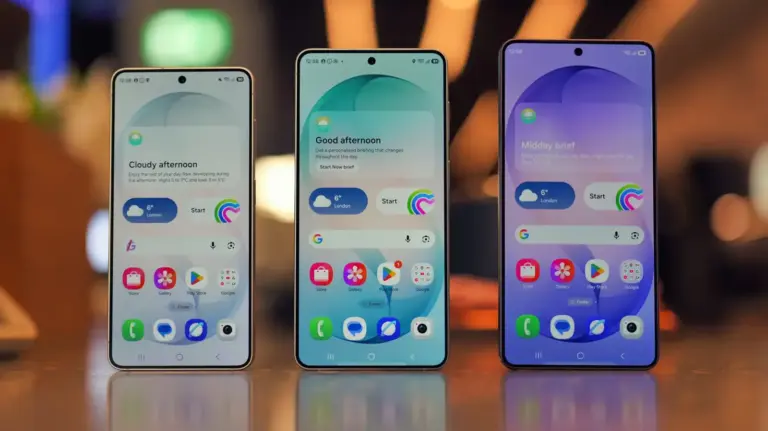
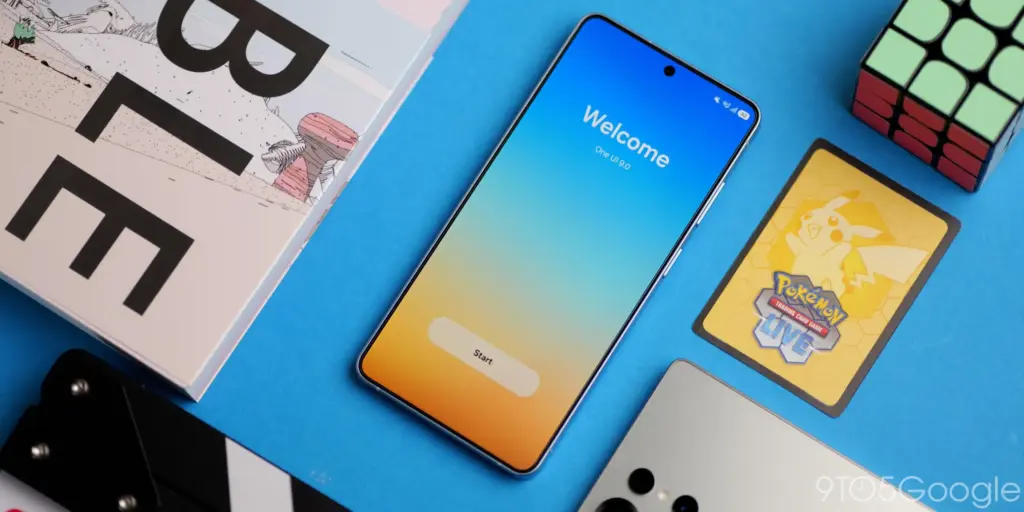
Samsung has started rolling out its stable One UI 9 update based on Android 17 to supported Galaxy smartphones across international markets, expanding availability beyond initial test builds.
Key points
- Samsung is distributing the stable One UI 9 update based on Android 17 to supported Galaxy phones.
- Eligible models include the Galaxy S26, S25, and S24 lines alongside recent Z foldables and the Galaxy A57.
- The firmware brings My FanCam video tracking, broader Now Nudge suggestions, and an overhauled Quick Panel.
- Health and security features include AI privacy monitors, quick lockdown controls, and revamped trend charts.
The deployment delivers Google’s underlying Android 17 platform changes alongside Samsung’s proprietary interface revisions. Rather than an outright visual redesign, One UI 9 refines the software foundation established in One UI 7 and iterated in One UI 8, focusing on camera automation, expanded on-device assistance, and tighter security controls.
Eligible Galaxy Phones Receiving the Stable Firmware
The update is reaching flagship and mid-range hardware in phased regional deployments. Handsets in the Galaxy S26 series lead the release, while predecessor flagships and foldables are seeing varying levels of availability.
- Galaxy S Series: Galaxy S26, Galaxy S26+, Galaxy S26 Ultra, Galaxy S25 (wider release), Galaxy S25+ (wider release), Galaxy S25 Ultra (wider release), Galaxy S25 FE, Galaxy S25 Edge, Galaxy S24, Galaxy S24+, Galaxy S24 Ultra
- Galaxy Z Series: Galaxy Z Fold 7, Galaxy Z Flip 7, Galaxy Z Flip 7 FE, Galaxy Z TriFold, Galaxy Z Fold 6, Galaxy Z Flip 6
- Galaxy A Series: Galaxy A57
Hardware such as the Galaxy S24 lineup, the Galaxy Z TriFold, and the Galaxy A57 remain on limited availability while Samsung monitors system stability before initiating broader regional waves.
Interface Customization and Lock Screen Changes
One UI 9 introduces greater flexibility to the Quick Panel control center. Users can adjust the physical dimensions of the brightness and volume sliders, modify the size of the media player card, and detach the sound mode toggle from the volume slider entirely.
The lock screen receives a refreshed default clock design engineered to blend with underlying wallpapers by matching colors and layout geometry automatically. These interface tweaks complement deeper system optimizations introduced across the wider Android 17 ecosystem.
Multitasking under Samsung DeX also gains window management improvements, allowing users to move application windows across connected desktop spaces via a revised header menu.
Camera Tracking and Galaxy AI Additions
Artificial intelligence enhancements focus on automated video framing and contextual suggestions. A camera feature named My FanCam allows users to designate a specific subject in a video frame; the software then crops and centers the composition on that person automatically as they move.
Samsung expanded the Now Nudge system beyond the stock keyboard. Recommendations now trigger inside message notifications and via an optional floating screen icon. The system generates prompts for saving Google Maps locations or inputting scheduling details from conversations.
The stock Interpreter utility now lets users scroll back through an entire active transcript during conversation mode without interrupting real-time audio translation. During phone calls, the active dialer screen can surface relevant calendar appointments and context related to the other caller.
Voice assistant interactions have also been adjusted. Users can wake Bixby without saying a wake word by lifting the phone directly to their mouth and speaking. The assistant now supports home screen widgets and chat management tools to pin, rename, or wipe conversation histories.
Privacy Controls, Security, and Samsung Health
Device protection tools receive a dedicated Warranty and Care section directly within the primary Settings app. The hub lists factory warranty status, automated hardware diagnostics, and device maintenance suggestions.
To secure a device quickly in sensitive situations, users can activate a rapid lockdown by holding the Side and Volume Down keys simultaneously or tapping the Power button in the Quick Panel. The command disables biometric unlocks, forcing passcode entry on the subsequent wake.
A blue visual indicator now flags background location access in real time, linking directly to the specific offending app. Furthermore, automated AI privacy monitors track how installed software uses granted permissions, alerting users to unneeded data access while blocking flagged malware until user review.
Samsung Health features an updated layout with customizable home screen cards for Activity, Sleep, Mindfulness, and Nutrition. The platform introduces a composite Fitness Index score based on five metrics: body composition, cardio, strength, endurance, and flexibility. Other additions include a cardio load monitor, hearing exposure trackers that pull volume levels from Galaxy Watch and earphone hardware, and an option to log meals or mood ratings directly through the camera.
Accessibility Improvements
System accessibility options include a Text Spotlight tool that enlarges tapped screen text inside a dedicated viewing window with custom font and contrast settings. Physical keyboard users gain dedicated navigation shortcuts alongside Mouse Keys settings to control cursor acceleration via the numeric keypad.
The Select to Speak tool offers on-demand audio readouts of targeted text and pictures without requiring full TalkBack activation. Samsung has also transitioned TalkBack core components to the Google Play Store, enabling background updates for the screen reader without waiting for major operating system revisions.