Close Menu
DroidfeatsDroidfeats

    Subscribe to Updates

    Join our most passionate readers to get instant access to tech tips as they arrive!

    What's Hot
    Fortnite v40.40 Update Introduces Rivalry Mastery Umbrellas

    Fortnite v40.40 Update Introduces Rivalry Mastery Umbrellas

    May 16, 2026
    New AI Tools Simplify Video Face Swapping in 2026

    New AI Tools Simplify Video Face Swapping in 2026

    May 15, 2026
    Subnautica 2: How to Find Essential Silver for Deeper Dives

    Subnautica 2: How to Find Essential Silver for Deeper Dives

    May 15, 2026
    Facebook X (Twitter) Instagram
    • About
    • Privacy Policy
    • DMCA
    • Team
    • Get In Touch
    Facebook X (Twitter) Instagram Pinterest RSS
    DroidfeatsDroidfeats
    • Home
    • News
    • Apps
    • Tips
    • VPN
    • #TheBest
      • Get GCam Ports
      • USB Drivers
      • Get Magisk
      • Get Play Store
      • Get ADB binaries
    • LoL Tier List
    Best Deals
    DroidfeatsDroidfeats
    Android 11

    Download & Install Android 11 Beta on iQOO 3 5G/4G, Vivo Nex 3S 5G and more

    Saeed Ashif AhmedBy Saeed Ashif AhmedJune 14, 20202 Comments5 Mins Read
    Share
    Facebook Twitter LinkedIn Pinterest Reddit Email

    If you are a Vivo or iQOO user, you can get the latest Android 11 update from the tutorial given below. You can download and install the updates manually on your phone right away! We have a detailed guide on how to update iQOO 3 5G/4G Indian, China variant, and the Vivo Nex 3S 5G to Android 11 Beta ROM. Update files are given below with necessary instructions, make sure to read them carefully.
    Google has already revealed Android R Beta for Pixel devices. Since then, many manufacturers have stepped up and released the same builds for their phones as well. Vivo and iQOO seem quite fast to launch official Android 11 builds for their users. Being in beta status, it’s quite certain to have some bugs, but it’s fascinating to experience cutting edge Android before it is available to general users.

    Offering phones from mid-range to high-end flagships, Vivo is one of the biggest market conquerers in today’s date. Furthermore, iQOO is originating from Vivo, a value-focused spin-off company, is becoming popular in the market. Both the brand has done an exceptionally great job in the software department, launched Android 11 Beta builds for their phones in tandem. Read ahead to get the official Android 11 on Nex 3S 5G, iQOO 3 (China), and Vivo iQOO 3 5G/4G (India).

    Android 11 for iQOO and Vivo phones (details)

    Google has improved on varieties of features with the Android 11 update. It supports new technologies, increased functionalities, and accessibilities that developers and users want.

    Android 11

    Another important feature that Android 11 bought is how apps can now find out if you are on 5G, continuing a feature that lets apps distinguish whether you are on 4G or a Wi-Fi connection. This feature optimizes the content and performance based on your connection. It also stops the usages if your phone is draining loads of data unnecessarily. 

    Additionally, the notification bar of Android 11 has its own messaging tab. So notifications from ongoing conversations, or other apps, will be divided to let you ignore some if you want.

    Here is a brief look at what is new:

    1. 5G experiences
    2. One-time permission
    3. Bubbles (People and Conversations)
    4. Insert images into notification replies
    5. Biometrics supports
    6. Secure storage and sharing of data
    7. A new NFC file-sharing alternative
    8. Improved dark mode

    To know more about Android 11 features, check out the official Android site!

    • See also: Screenshots of Android 11 UI (from Pixel 3) Developer Preview

    Download Vivo / iQOO Android 11 Beta Builds

    As of now, the Android 11 is on beta build. You need to download the ROM ZIP file and install it manually. Below are the download links of the official Android 11 beta for the compatible Vivo and iQOO smartphones:

    Device nameDownload Android 11 Beta ROM ZIP
    Vivo Nex 3S 5GDirect download link!
    Vivo iQOO 3 (China)Direct download link!
    iQOO 3 5G/4G (India)Direct download link!
    The table will be updated as soon as more builds get released!
    • See also: How to root Android 11 / Android R using Magisk Canary!

    WARNING: All the custom ROMs, Official Firmware, How-to guides, tutorials, roots, hacks, and tricks mentioned on our site belong to the respective developers. We are not responsible if anything goes wrong with your device. Perform it at your own risk.

    How to Install Android 11 Beta on iQOO / Vivo phones?

    You can manually update your iQOO / Vivo phones to Android 11 using a simple procedure given below. The steps are straightforward, as this is an official ROM, not a custom OS that requires TWRP recovery.

    So, you can update your phone to Android 11 using the stock recovery; follow the following steps:

    1. Go to the Settings app > System Update.
    2. From there, navigate to Local Update.
    3. Now, browse the firmware file (ZIP) you downloaded before.
    4. Your phone will reboot and start upgrading automatically.
    5. The process may take a few minutes to complete; keep patients.
    6. That’s all!
    • Related: Install Android 11 on Mac / Windows PC using Android Studio [GUIDE]

    How to Downgrade from Android 11 Beta to Android 11 on Vivo / iQOO Phones

    In case you want to revert, you can download the older version of stable releases from the link given below:

    • Vivo Nex 3S 5G:
      • Download Downgrade Package
    • Vivo iQOO 3 (China):
      • Download Downgrade Package
    • Vivo iQOO 3 5G/4G (India):
      • Download Downgrade Package

    After downloading the required file, you need to follow the steps below to revert to your previous version of Android:

    (Same procedure like before)

    1. Go to the Settings app > System Update.
    2. From there, navigate to Local Update.
    3. Now, browse the downgrade firmware file (ZIP).
    4. Your phone will reboot and start downgrading automatically.
    5. The process may take a few minutes to complete; keep patients.
    6. That’s all!

    So, this way, you can update your iQOO 3 5G/4G, Vivo Nex 3S 5G to Android 11 official beta. If you have any queries, please leave a comment below. We will reply you back as soon as possible with the solution to your problem.

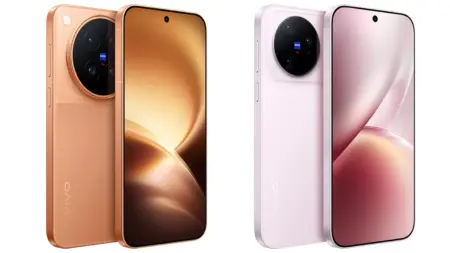
    Android 11 Official Firmware vivo vivo IQOO
    Add Droidfeats as a preferred source on Google
    Share. Facebook Twitter Pinterest LinkedIn Tumblr Email Copy Link
    Previous ArticleGoogle Camera Port for OnePlus 5 (HDR+ Mode, ZSL, Portrait) [Modified]
    Next Article Update Galaxy A20 SM-A205U (US models) to Android 10 / 9 Official Firmware
    Saeed Ashif Ahmed
    • Website
    • Facebook
    • X (Twitter)
    • LinkedIn

    Saeed Ashif Ahmed is passionate about emerging technologies and their potential to create a fairer world. A car enthusiast and civil engineer, he loves cricket and cherishes his alma mater, Navodaya Vidyalaya (JNV).

    Related Posts

    Vivo X300 Ultra Global Launch Intensifies Samsung Competition
    News

    Vivo X300 Ultra Global Launch Intensifies Samsung Competition

    May 3, 2026
    Download Vivo X300 Ultra GCam Port [Most Compatible Version]
    Apps

    Download Vivo X300 Ultra GCam Port [Most Compatible Version]

    April 18, 2026
    Vivo X300 Ultra’s Global Launch Imminent: Mark Your Calendars for April 24th
    News

    Vivo X300 Ultra’s Global Launch Imminent: Mark Your Calendars for April 24th

    April 13, 2026
    View 2 Comments

    2 Comments

    1. Hariom on May 24, 2023 3:46 am

      After Clicking on Link Getting 404 Not Found

      Reply
      • Saeed Ashif Ahmed on May 24, 2023 6:57 am

        Hi Hariom,

        All the download links are functioning properly. Could you kindly verify and inform me if any of them are still not working? Additionally, please specify the particular link you are attempting to access that is resulting in a 404 error.

        Reply
    Leave A Reply Cancel Reply

    Top Posts
    MX Player Custom Codec [AC3, DTS, MLP, TrueHD, and more]

    MX Player Custom Codec [AC3, DTS, MLP, TrueHD, and more]

    May 1, 2026185K
    Do a Barrel Roll 20 Times on Google & other search games (2026)

    Do a Barrel Roll 20 Times on Google & other search games (2026)

    May 1, 202658,518
    47 best root apps for Android devices in 2025 (NEW LIST – Updated)

    47 best root apps for Android devices in 2025 (NEW LIST – Updated)

    April 16, 202529,911
    Stay In Touch
    • Facebook
    • Twitter
    • Instagram
    • Pinterest
    • Reddit
    • Telegram
    Latest News
    Fortnite v40.40 Update Introduces Rivalry Mastery Umbrellas News

    Fortnite v40.40 Update Introduces Rivalry Mastery Umbrellas

    Palumbo AngelaMay 16, 2026
    New AI Tools Simplify Video Face Swapping in 2026 News

    New AI Tools Simplify Video Face Swapping in 2026

    Joyce de CastroMay 15, 2026
    Subnautica 2: How to Find Essential Silver for Deeper Dives News

    Subnautica 2: How to Find Essential Silver for Deeper Dives

    Joyce de CastroMay 15, 2026

    Subscribe to Updates

    Join our most passionate readers to get instant access to tech tips as they arrive!

    Most Popular
    MX Player Custom Codec [AC3, DTS, MLP, TrueHD, and more]

    MX Player Custom Codec [AC3, DTS, MLP, TrueHD, and more]

    May 1, 2026185K
    Do a Barrel Roll 20 Times on Google & other search games (2026)

    Do a Barrel Roll 20 Times on Google & other search games (2026)

    May 1, 202658,518
    47 best root apps for Android devices in 2025 (NEW LIST – Updated)

    47 best root apps for Android devices in 2025 (NEW LIST – Updated)

    April 16, 202529,911
    Our Picks
    Fortnite v40.40 Update Introduces Rivalry Mastery Umbrellas

    Fortnite v40.40 Update Introduces Rivalry Mastery Umbrellas

    May 16, 2026
    New AI Tools Simplify Video Face Swapping in 2026

    New AI Tools Simplify Video Face Swapping in 2026

    May 15, 2026
    Subnautica 2: How to Find Essential Silver for Deeper Dives

    Subnautica 2: How to Find Essential Silver for Deeper Dives

    May 15, 2026

    Subscribe to Updates

    Join our most passionate readers to get instant access to tech tips as they arrive!

    Facebook X (Twitter) Instagram Pinterest
    • About Us
    • Privacy Policy
    • Terms
    • Jobs
    • Contact
    © 2026 Droidfeats. All rights reserved.

    Type above and press Enter to search. Press Esc to cancel.

    Ad Blocker Enabled!
    Ad Blocker Enabled!
    Our website is made possible by displaying online advertisements to our visitors. Please support us by disabling your Ad Blocker.