Quick answer
To turn off NFC on a Pixel, go to Settings > Connected devices > Connection preferences > NFC and turn off Use NFC. This disables tap to pay along with any other NFC-based features.
Leaving NFC switched on means your Pixel can connect to payment terminals, transit readers and other NFC accessories whenever it is near one. That convenience can backfire if your phone brushes against a reader in a bag or pocket and triggers a payment you didn’t mean to make.
This walks through the exact menu path to switch NFC off on a Pixel, notes the one extra step required on older Pixel 6 models, and covers what else stops working once NFC is off. If you’d rather keep NFC on but stop Google Wallet specifically from firing, see our guide on how to disable tap to pay on a Pixel without removing your cards.
Before you start
- Difficulty Easy
- Time needed 2 minutes
- Works on Pixel 6 through Pixel 10 series, Android 13 and later
What you'll need
- A Pixel phone with NFC hardware (check Settings for the NFC option)
- No account or app needed to toggle NFC off
Important
- Turning off NFC disables all NFC features on your phone, not just tap to pay, including file-beaming, device pairing and transit cards.
- If you use a transit card or badge stored via NFC, confirm you don't need it before switching NFC off.
Turn Off NFC on Most Pixel Phones
This path works on Pixel 7 through Pixel 10 series and any Pixel running a recent version of Android.
Step 1: Open Settings
Open the Settings app from your app drawer or by tapping the gear icon in Quick Settings.
Step 2: Go to Connected Devices
Tap Connected devices, then tap Connection preferences.
Step 3: Open NFC Settings
Tap NFC. You’ll see the Use NFC toggle along with a note about what it controls.
Step 4: Turn Off Use NFC
Tap the Use NFC switch so it turns gray. NFC is now off, and your phone will no longer respond to payment terminals, transit readers or other NFC devices.
Tip: If you don't see an NFC option at all, your phone doesn't have NFC hardware and can't do tap to pay.
Turn Off NFC on a Pixel 6 or 6 Pro
The Pixel 6 and 6 Pro place NFC one level deeper, under Network & internet.
Step 1: Open Settings
Open the Settings app.
Step 2: Navigate to Connection Preferences
Tap Network & internet, then Connected devices, then Connection preferences.
Step 3: Open NFC
Tap NFC to open the NFC settings screen.
Step 4: Turn Off Use NFC
Tap the Use NFC switch to turn it off.
Pro tips
- Use the two-finger swipe-down gesture to jump straight to the gear icon and reach NFC settings a bit faster.
- Add a third-party NFC quick settings tile like NfcTile if you want faster access, though it only opens the NFC page rather than toggling it directly.
- Turning NFC off also saves a small amount of battery, so it's worth doing if you rarely use contactless features.
Troubleshooting
| Problem | What to do |
|---|---|
| The NFC option doesn't appear in Connection preferences. | Your phone doesn't have NFC hardware, so there's no setting to toggle and no way to use contactless payments. |
| You want a one-tap NFC toggle in Quick Settings. | Stock Pixel software doesn't include a built-in NFC quick settings tile; install a third-party tile such as NfcTile from GitHub, though it will open the NFC settings page rather than switch it instantly. |
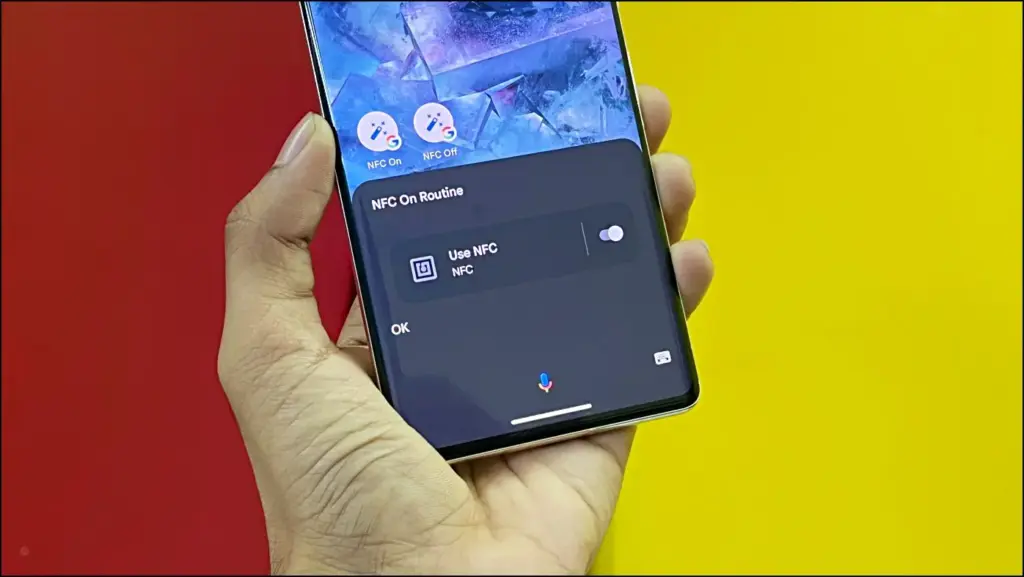
| NFC turns itself back on after a restart. | Check if a Google Wallet or Google Home routine is set to turn NFC on automatically, and disable or edit that routine. |
Frequently asked questions
Does turning off NFC stop Google Wallet from charging my card?
Yes. With NFC off, your phone can’t communicate with any contactless terminal, so no tap to pay transaction can go through regardless of what’s set up in Google Wallet.
Will turning off NFC affect anything besides payments?
Yes. It also disables file-beaming between devices, NFC-based pairing with accessories, and NFC transit or access cards.
Is there a quick settings tile for NFC on Pixel?
Stock Android on Pixel doesn’t include one by default. You can add a third-party tile, but it typically just opens the NFC settings screen instead of toggling it instantly.
Does this work the same way on a Samsung phone?
No. Samsung’s One UI puts the setting under Settings > Connections > NFC and contactless payments, and it offers a built-in Quick Settings tile that Pixel doesn’t have.
With NFC off, your Pixel can’t make or receive any contactless connection, so accidental taps at a payment terminal are no longer possible. If battery life is part of why you’re cutting back on background features, our guide on restricting background battery usage for apps on Pixel covers more ways to extend your phone’s runtime.
Sources and further reading
- Support Google
- Verizon
- Vodafone UK — Turn NFC on your Google Pixel 7 Android 13 on or off | Vodafone UK
- Gadgets To Use — 4 Ways to Get NFC On/Off Shortcut on Android